
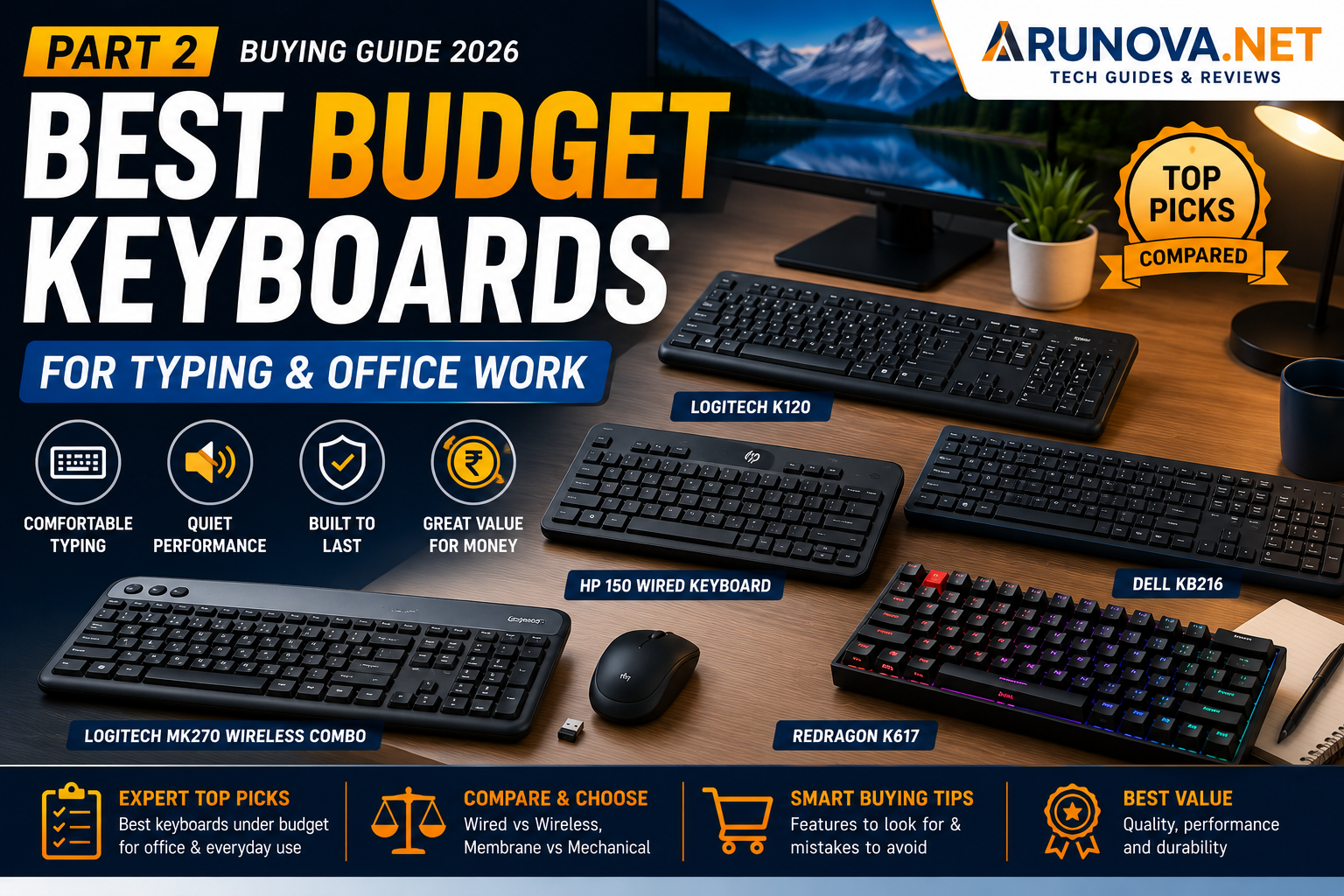
Below are some of the best types of budget keyboards to consider for typing and office work. Since product availability and pricing can change frequently, use these recommendations as a buying guide and compare current prices on Amazon before purchasing.
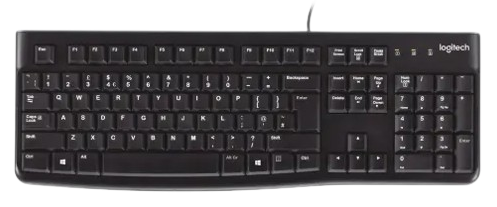
1. Logitech K120 – Best Overall Budget Wired Keyboard
Best For: Office workers, students, home users
Pros
- Comfortable typing experience
- Quiet keys
- Full-size layout
- Spill-resistant design
- Durable build quality
- Plug-and-play setup
- Excellent reliability
Cons
- Wired only
- No multimedia shortcuts
Why We Recommend It
The Logitech K120 has earned a strong reputation for reliability and comfortable typing. It is an excellent choice if you need a dependable keyboard for daily office work without spending much.
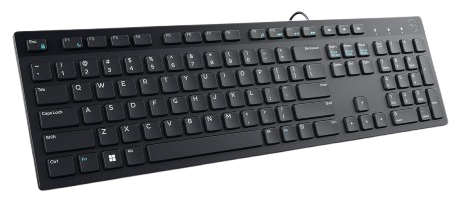
2. Dell KB216 – Best for Everyday Office Use
Best For: Business users and students
Pros
- Quiet keys
- Slim profile
- Comfortable key spacing
- Lightweight
- Affordable
Cons
- Plastic construction
- No backlighting
Why We Recommend It
The Dell KB216 is suitable for document editing, spreadsheets, email, and general office work. Its slim design makes it comfortable for long typing sessions.
3. HP 150 Wired Keyboard – Best Value
Best For: Home office and productivity
Pros
- Modern design
- Comfortable typing
- Full-size layout
- Good key stability
- Reliable USB connection
Cons
- Limited shortcut keys
- No wrist rest
Why We Recommend It
HP’s budget keyboard offers a clean design and dependable performance, making it a practical option for users looking for a balance of quality and affordability.
4. Logitech MK270 Wireless Combo – Best Wireless Value
Best For: Laptop users and clean desk setups
Pros
- Wireless keyboard and mouse
- Long battery life
- Reliable USB receiver
- Compact receiver
- Comfortable typing
Cons
- Requires batteries
- Slightly higher price than wired keyboards
Why We Recommend It
If you prefer a clutter-free workspace, the MK270 combo delivers good value by including both a keyboard and mouse.
5. Redragon K617 (Entry-Level Mechanical)
Best For: Writers, programmers, and users who enjoy mechanical keyboards
Pros
- Mechanical switches
- Faster typing response
- Durable construction
- Attractive design
Cons
- Louder than membrane keyboards
- Compact layout
- May not suit shared office environments
Why We Recommend It
If you’re curious about mechanical keyboards without spending a premium price, entry-level models like the Redragon K617 provide a satisfying typing experience.
Quick Comparison Table
| Keyboard | Connection | Type | Best For |
|---|---|---|---|
| Logitech K120 | Wired | Membrane | Office & Students |
| Dell KB216 | Wired | Membrane | Daily Productivity |
| HP 150 | Wired | Membrane | Home Office |
| Logitech MK270 | Wireless | Membrane | Laptop Users |
| Redragon K617 | Wired | Mechanical | Writers & Programmers |
Which Keyboard Should You Buy?
Choose a Wired Keyboard if:
- You work at a fixed desk
- You don’t want batteries
- You prefer plug-and-play reliability
- You want the best value
Choose a Wireless Keyboard if:
- You use a laptop
- You like a clean desk
- You frequently move your keyboard
- You don’t mind replacing batteries occasionally
Choose a Mechanical Keyboard if:
- You type for many hours every day
- You enjoy tactile feedback
- You write or code frequently
- Noise isn’t a concern
Choose a Membrane Keyboard if:
- You work in a shared office
- You prefer quiet typing
- You want an affordable option
- Your primary tasks include emails, documents, and spreadsheets
Common Buying Mistakes
Buying Only Based on Price
The cheapest keyboard isn’t always the best value. Spending a little more can provide better comfort and durability.
Ignoring Keyboard Size
Compact keyboards save space but may slow productivity if you frequently use the numeric keypad.
Choosing a Gaming Keyboard for Office Work
Gaming keyboards often include RGB lighting, louder switches, and gaming features that aren’t necessary for office tasks.
Ignoring Build Quality
Check for sturdy construction, non-slip feet, and durable key legends rather than focusing only on appearance.
Overlooking Warranty
Choose keyboards from reputable brands that provide warranty support and good customer service.
Frequently Asked Questions
Which keyboard is best for office work?
A full-size membrane keyboard from a trusted brand is usually the best choice for everyday office productivity.
Are mechanical keyboards better for typing?
Many users enjoy the tactile feel of mechanical keyboards, but a quality membrane keyboard is often quieter and more suitable for office environments.
Is a wireless keyboard slower than a wired keyboard?
For general typing and office work, modern wireless keyboards provide excellent responsiveness and are unlikely to feel noticeably slower.
How long should a keyboard last?
With normal use, a good-quality keyboard can last several years. Lifespan depends on build quality, usage, and maintenance.
Should I buy a keyboard with backlighting?
Backlighting is useful if you often work in dimly lit environments, but it isn’t essential for most office users.
Is a numeric keypad necessary?
If you regularly work with numbers, spreadsheets, or accounting software, a full-size keyboard with a numeric keypad is highly recommended.
Final Verdict
You don’t need an expensive keyboard to enjoy a comfortable typing experience. A well-designed budget keyboard can improve productivity, reduce typing fatigue, and last for years with proper care.
For most users, a full-size membrane keyboard from a trusted manufacturer offers the best balance of comfort, reliability, and value. If you prefer a cleaner workspace, a wireless keyboard is an excellent alternative. Writers and programmers who enjoy tactile feedback may find an entry-level mechanical keyboard worth considering.
Before making your purchase, compare the latest prices, warranty, user reviews, and feature set to ensure the keyboard matches your specific needs.
Suggested Internal Links
Link this article to other relevant content on Arunova.net:
- USB Hub Buying Guide: Ports, Speed and Power Explained
- Best Budget Home Office Setup
- Laptop Stand Buying Guide
- How to Improve Wi-Fi Coverage in Your Home
- Best Wireless Mouse Under ₹1,000 (Coming Soon)
- Best Wireless Keyboards (Coming Soon)
- Wired vs Wireless Keyboard (Coming Soon)