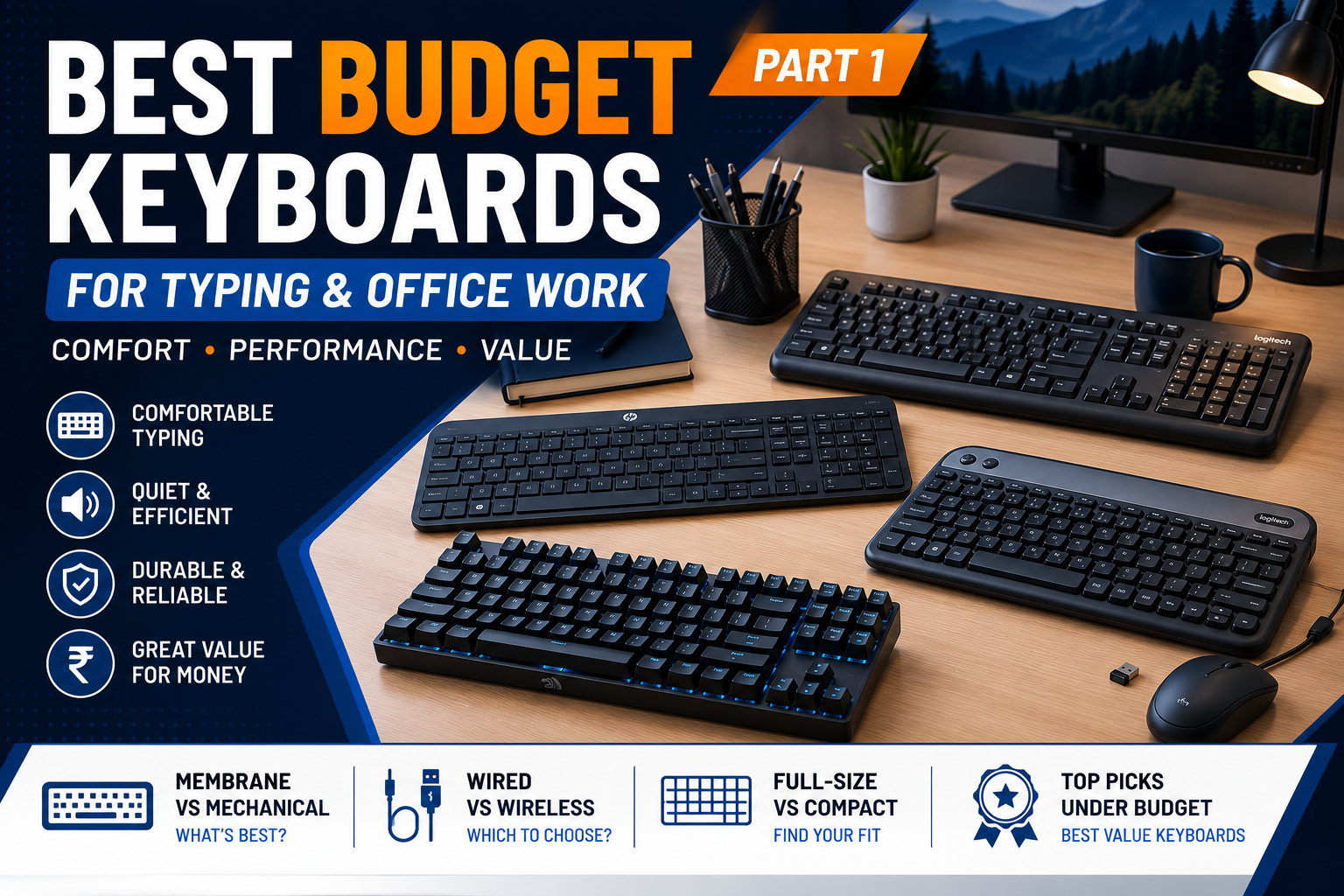
Whether you’re working from home, studying, writing documents, programming, or spending hours answering emails, your keyboard is one of the most important tools on your desk.
Many people continue using the basic keyboard that came with their computer without realizing how much a better keyboard can improve comfort, typing speed, and productivity.
The good news is that you don’t need to spend a fortune. Today, several affordable keyboards offer excellent typing experience, quiet keys, durable construction, and useful features for everyday office work.
This guide explains what to look for before buying a budget keyboard and helps you choose the right one based on your needs.
Table of Contents
- Why Your Keyboard Matters
- What to Look for Before Buying
- Membrane vs Mechanical Keyboards
- Wired vs Wireless
- Keyboard Sizes Explained
- Essential Features
- Recommended Budget Keyboards
- Buying Tips
- Frequently Asked Questions
- Final Verdict
Why Choosing the Right Keyboard Matters
Most office workers spend several hours every day typing.
A comfortable keyboard can help:
- Improve typing speed
- Reduce typing errors
- Increase productivity
- Minimize finger fatigue
- Reduce wrist strain
- Create a quieter workspace
- Last for many years
If you type only occasionally, almost any keyboard will work.
However, if you spend four to eight hours a day typing reports, emails, spreadsheets, or documents, investing in a better keyboard is worthwhile.
Who Should Buy a Budget Keyboard?
Budget keyboards are ideal for:
- Office employees
- Students
- Teachers
- Writers
- Bloggers
- Freelancers
- Accountants
- Data entry operators
- Home office users
- Small business owners
Unless you require specialized gaming or professional mechanical switches, an affordable keyboard can meet most everyday typing needs.
What to Look for Before Buying
Price should not be the only deciding factor. A low-cost keyboard that is uncomfortable or unreliable may cost you more in the long run.
Consider these features before making a purchase.
1. Comfortable Key Feel
A keyboard should feel comfortable during long typing sessions.
Look for:
- Smooth key travel
- Consistent key response
- Soft key presses
- Stable keycaps
- Comfortable spacing
Avoid keyboards with stiff, uneven, or overly noisy keys if your primary use is office work.
2. Quiet Operation
If you work in a shared office, library, or home office, a quieter keyboard is usually a better choice.
Quiet keyboards help:
- Reduce distractions
- Improve concentration
- Create a more professional work environment
- Minimize noise during online meetings
Membrane keyboards are generally quieter than mechanical keyboards.
3. Build Quality
Even budget keyboards should feel solid.
Look for:
- Strong plastic construction
- Minimal flex
- Durable key printing
- Non-slip rubber feet
- Adjustable tilt legs
A sturdy keyboard is more likely to withstand years of daily use.
4. Full-Size Layout
For office work, a full-size keyboard is often the most practical option.
It includes:
- Alphabet keys
- Number row
- Function keys
- Navigation keys
- Dedicated numeric keypad
The numeric keypad is especially useful for:
- Accounting
- Data entry
- Finance
- Spreadsheet work
If desk space is limited, a compact keyboard may be a better choice.
Membrane vs Mechanical Keyboards
This is one of the first decisions you’ll need to make.
Membrane Keyboards
Membrane keyboards use a rubber dome beneath each key.
Advantages
- Affordable
- Quiet typing
- Lightweight
- Widely available
- Comfortable for everyday office use
Disadvantages
- Softer key feel
- Slightly less tactile feedback
- Usually shorter lifespan than premium mechanical keyboards
For most office users, a good membrane keyboard offers an excellent balance of comfort, affordability, and quiet operation.
Mechanical Keyboards
Mechanical keyboards use individual switches beneath each key.
Advantages
- More precise typing
- Better tactile feedback
- Longer lifespan
- Replaceable keycaps on many models
- Popular among programmers and writers
Disadvantages
- More expensive
- Louder, depending on switch type
- Heavier
- Not always necessary for general office work
While affordable mechanical keyboards are becoming more common, a quality membrane keyboard remains the better value for many office users.
Wired vs Wireless Keyboards
Both options have their advantages.
Wired Keyboards
A wired keyboard connects directly to your computer using a USB cable.
Advantages
- No batteries required
- Reliable connection
- No charging needed
- Plug-and-play setup
- Usually less expensive
Best For
- Office desktops
- Fixed workstations
- Data entry
- Budget-conscious buyers
Wireless Keyboards
Wireless keyboards connect using Bluetooth or a USB receiver.
Advantages
- Cleaner desk setup
- Greater flexibility
- Easy to carry
- Ideal for laptops
Considerations
- Requires batteries or charging
- Slightly higher price
- Wireless receiver may occupy a USB port
- Bluetooth compatibility varies by device
For home offices and laptop users, a wireless keyboard can create a more organized workspace.
Keyboard Sizes Explained
Choosing the right size depends on your work style and available desk space.
Full-Size Keyboard (100%)
Includes every standard key, including the numeric keypad.
Best for:
- Office work
- Accounting
- Data entry
- Spreadsheet users
Tenkeyless (TKL)
A TKL keyboard removes the numeric keypad while keeping the rest of the layout.
Benefits:
- Saves desk space
- Brings the mouse closer
- Easier to transport
Ideal for general office work if you rarely use the number pad.
Compact Keyboards (75%, 65%, 60%)
Compact keyboards remove additional keys to reduce size.
Advantages:
- Portable
- Minimal desk footprint
- Modern appearance
Disadvantages:
- Some keys require function combinations
- Less suitable for heavy office productivity
For most users focused on typing and office tasks, a full-size or TKL keyboard is usually the most practical choice.
Essential Features Worth Paying For
When comparing budget keyboards, these features can improve your experience without significantly increasing the price:
- Spill-resistant design
- Adjustable tilt legs
- Multimedia shortcut keys
- Dedicated volume controls
- Durable key legends
- Comfortable wrist angle
- Long USB cable (for wired models)
- Reliable wireless connectivity (for wireless models)
- Battery status indicator
- Power-saving mode
These small details can make a noticeable difference during daily use.
Coming Up Next
In the next part, we’ll cover:
- Our top budget keyboard recommendations
- Product comparison table
- Which keyboard is best for students, office workers, and writers
- Common buying mistakes
- Frequently Asked Questions
- Final verdict
- SEO metadata
- Internal linking suggestions