A good wireless mouse can make everyday computer work more comfortable while keeping your desk free from unnecessary cables. The good news is that you don’t have to spend a lot to get reliable wireless connectivity, comfortable controls, and long battery life.
Whether you’re working from home, studying, browsing the web, managing spreadsheets, or carrying a laptop between locations, there are several capable wireless mice available for under $30.
In this guide, we’ve selected five practical options for different types of users.
Affiliate Disclosure: As an Amazon Associate I earn from qualifying purchases. This article may contain affiliate links, which means we may earn a commission from qualifying purchases at no additional cost to you.
Quick Recommendation: The Logitech M330 Silent Plus is our top choice for everyday office work because of its comfortable right-handed design, quiet clicks, reliable wireless connection, and long advertised battery life. For users who prefer Bluetooth and portability, the Logitech Pebble Mouse 2 M350s is an excellent alternative.
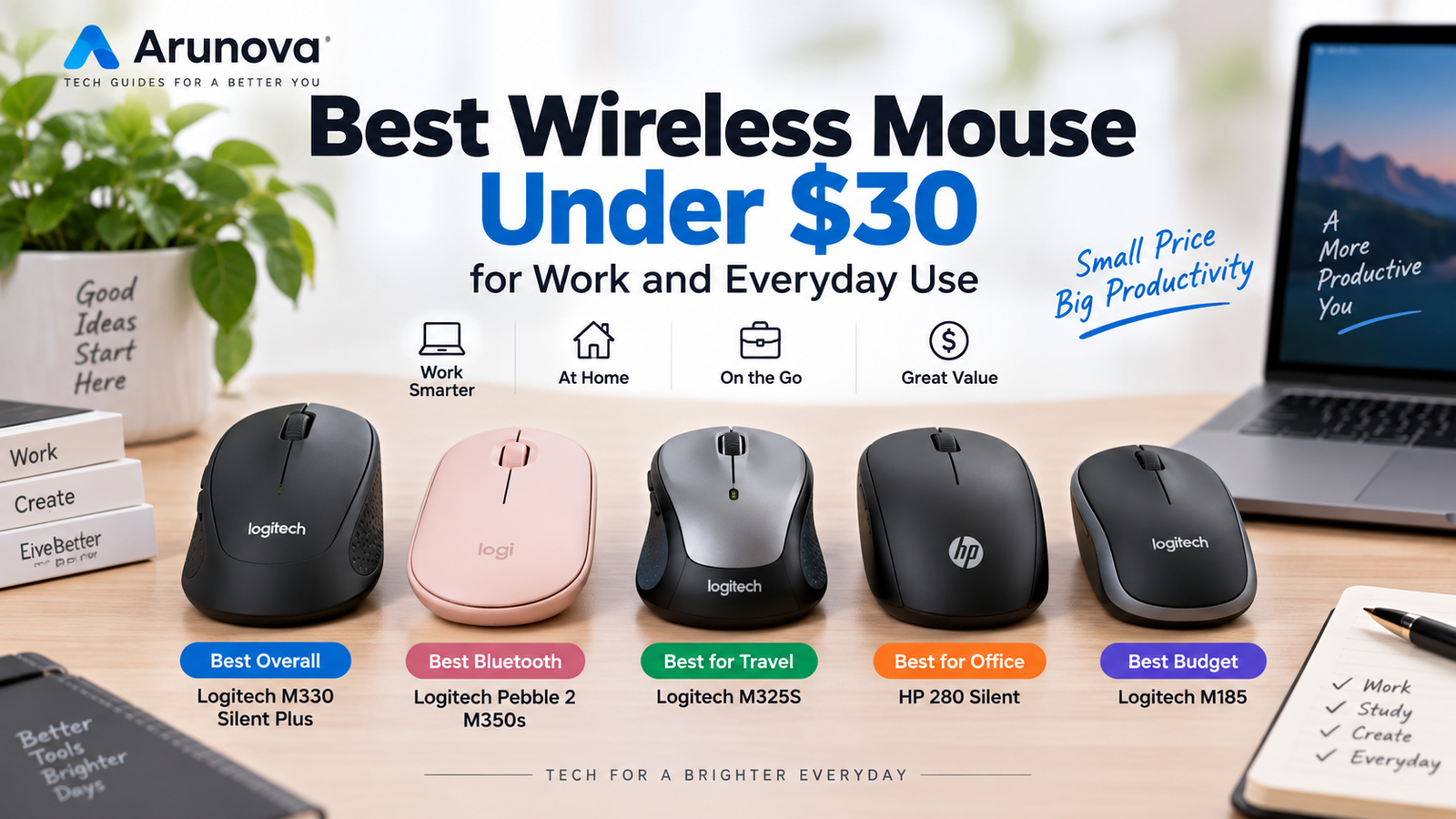
Quick Comparison: Best Wireless Mouse Under $30
| Product | Best For | Connection | Key Advantage |
|---|---|---|---|
| Logitech M330 Silent Plus | Best Overall | 2.4 GHz USB | Quiet, comfortable operation |
| Logitech Pebble Mouse 2 M350s | Best Bluetooth Mouse | Bluetooth | Slim, portable, multi-device |
| Logitech M325S | Best for Travel | 2.4 GHz USB | Compact with precise scrolling |
| HP 280 Silent Wireless Mouse | Best for Office Work | 2.4 GHz USB | Quiet clicks and ergonomic design |
| Logitech M185 | Best Basic Option | 2.4 GHz USB | Simple, reliable everyday use |
Note: Product prices and availability can change. Always check the latest Amazon.com listing before purchasing.
1. Logitech M330 Silent Plus — Best Overall
Logitech M330 Silent Plus Full Size 2.4 GHz Wireless Mouse
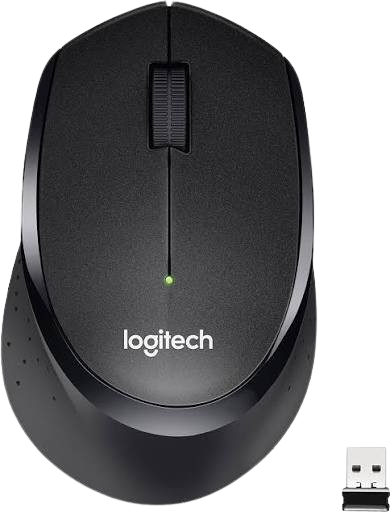
- Quieter Click: Logitech’s SilentTouch Technology reduces over 90 percent (1) of clicking sounds — ensuring top performance while contributing to a quieter working environment
- Crafted for Comfort: Design with naturally shaped contoured plastic grips, the M330 SILENT wireless mouse is built for long-lasting comfort and functionality for right-handed users
- Long Battery Life: M330 SILENT has a 18-month battery life (2) and power saving auto-sleep mode; it allows you to focus on your work without the hassle of changing batteries (1 x AA included)
- Advanced Optical Tracking: With a wireless range of up to 33 ft (10m)(3), this quiet computer mouse provides high-performance precision and smart cursor control on most surfaces
- Plug and Play: M330 SILENT comes with a USB-A receiver that’s compatible with most operating systems including Windows, macOS, ChromeOS, and Linux
- Upgrade to Signature M650: Upgrade to smarter scrolling, better comfort, and more productivity
- Plastic parts in M330 SILENT include certified post-consumer recycled plastic (Black: 76%, Grey: 58%)*
- Product carbon footprint: 3.97 kg CO2e
The Logitech M330 Silent Plus is our top choice for people who want a comfortable and quiet wireless mouse for everyday productivity.
Its biggest attraction is Logitech’s SilentTouch technology, which reduces clicking sounds by more than 90% while retaining the physical feel of clicking.
This makes the M330 particularly useful in home offices, shared workspaces, libraries, and other environments where repeated mouse clicks can become distracting.
The mouse has an asymmetric shape designed specifically for right-handed users. It connects through a 2.4 GHz USB receiver and offers an advertised wireless range of up to 10 meters under suitable conditions.
Battery life is rated at up to 18 months from a single AA battery, although actual life depends on usage.
Key Features
- SilentTouch technology
- More than 90% click-noise reduction
- Comfortable right-handed design
- 2.4 GHz wireless connection
- USB receiver
- Up to 10 m wireless range
- Up to 18 months advertised battery life
- Precise optical tracking
Pros
- Very quiet clicking
- Comfortable for everyday office use
- Long advertised battery life
- Simple USB connection
- Compact enough for laptop use
Cons
- Designed primarily for right-handed users
- No Bluetooth
- Requires an available USB port
- Limited advanced/customizable controls
Best For
Remote workers, home offices, shared workspaces, students, and anyone who prefers quieter clicking.
Check Current Price on Amazon →
[Insert your Amazon.com SiteStripe affiliate link]
2. Logitech Pebble Mouse 2 M350s — Best Bluetooth Mouse
Logitech Pebble 2 M350S Mouse Ambidextrous Rf Wireless
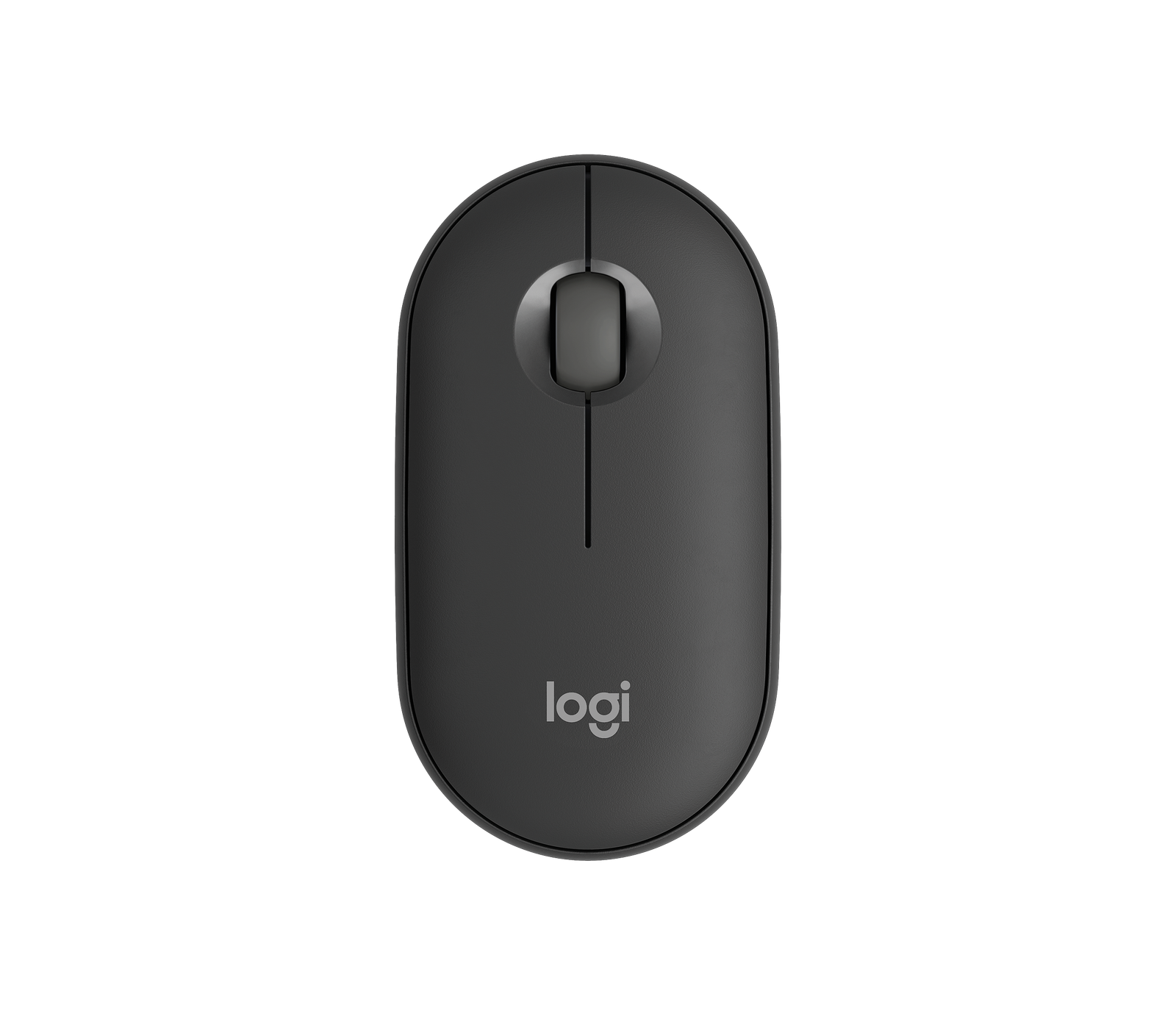
- Slim & Portable: Lightweight, minimalist design that’s easy to carry with your laptop.
- Bluetooth Connectivity: Connect wirelessly without occupying a USB port.
- Multi-Device Support: Pair with up to three compatible devices and easily switch between them.
- Quiet Clicks: Silent Touch technology helps reduce distracting clicking sounds.
- Customizable Button: Personalize the middle button with Logi Options+ for useful shortcuts.
- Long Battery Life: Designed for extended use with power-saving features.
- Multi-OS Compatibility: Works with compatible Windows, macOS, ChromeOS, iPadOS, Android, and other devices.
- Ideal For: Home office, students, travel, remote work, and everyday laptop use.
The Logitech Pebble Mouse 2 M350s is an attractive option for laptop users who prioritize portability and Bluetooth connectivity.
Its slim and lightweight design makes it easy to slip into a laptop bag, while Bluetooth connectivity means you don’t necessarily have to occupy a valuable USB port.
The Pebble Mouse 2 can connect to multiple compatible devices and lets you switch between them. That’s particularly convenient if you regularly move between a laptop, tablet, or another computer.
It also uses Logitech’s Silent Touch technology to keep clicking noise down.
Key Features
- Slim and compact design
- Bluetooth connectivity
- Multi-device support
- Easy device switching
- Quiet clicks
- Customizable middle button
- Long advertised battery life
- Available in multiple colors
Pros
- Excellent portability
- No USB receiver required for Bluetooth use
- Connects with multiple devices
- Quiet operation
- Modern minimalist design
- Customizable button
Cons
- Flat shape may not suit users wanting strong palm support
- Fewer controls than productivity-focused mice
- Not intended for demanding gaming
Best For
Laptop users, students, travelers, minimalist desks, and people who frequently use multiple devices.
Check Current Price on Amazon →
[Insert your Amazon.com SiteStripe affiliate link]
3. Logitech M325S Wireless Mouse — Best for Travel
Logitech M325S Wireless Mouse — Best for Travel
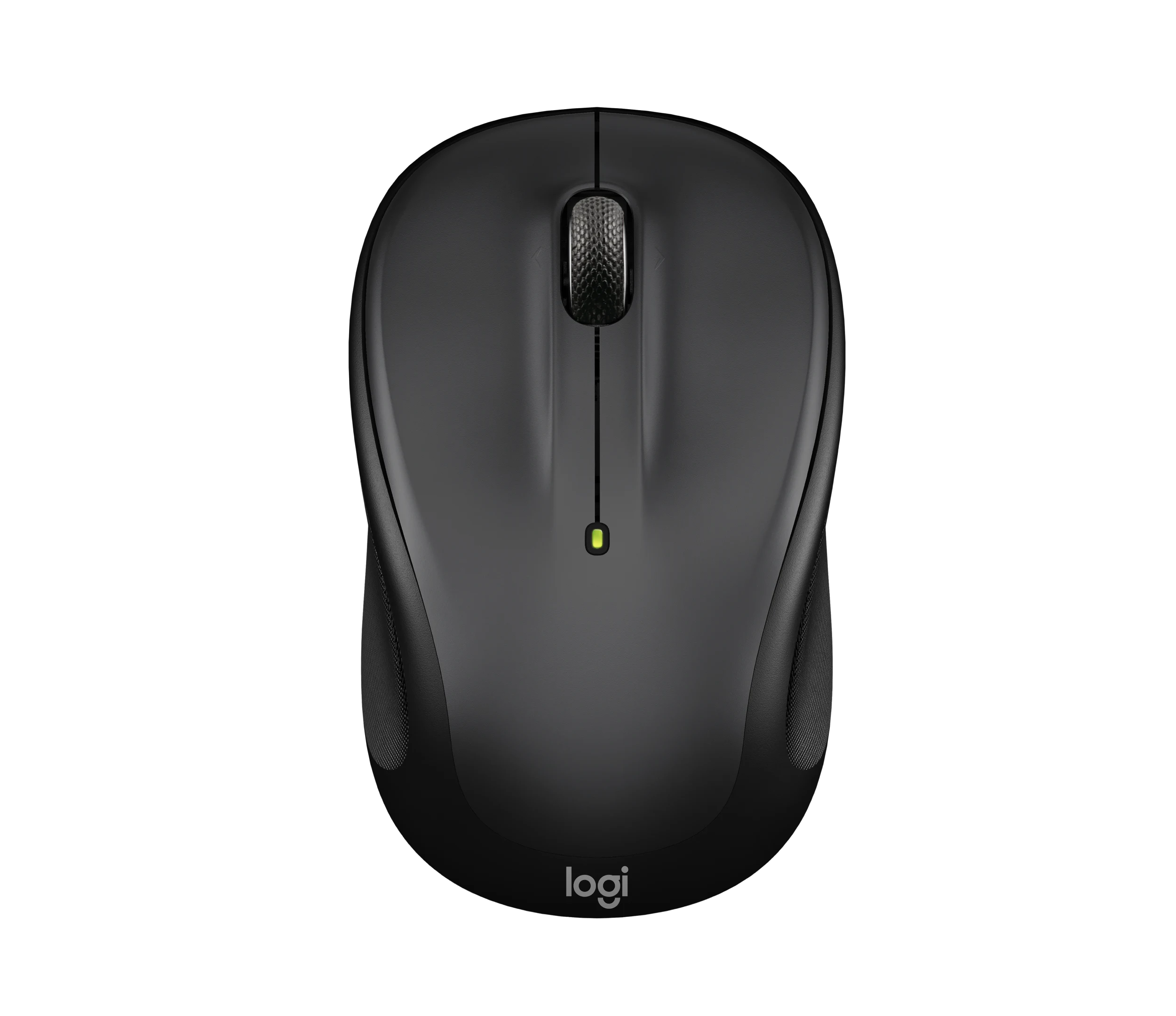
- Compact & Portable: Lightweight design makes it easy to carry with your laptop while traveling.
- Comfortable Shape: Contoured design provides comfortable control for everyday computer use.
- Precise Scrolling: Micro-precise scroll wheel makes navigating documents and web pages easier.
- Tilt Wheel: Provides additional scrolling and navigation convenience.
- Reliable Wireless: Uses a 2.4 GHz wireless connection through a USB receiver.
- Easy Setup: Simply connect the USB receiver to a compatible computer and start using the mouse.
- Long Battery Life: Designed for extended everyday use with efficient power management.
- Ideal For: Laptop users, students, commuters, travelers, office work, and everyday computing.
The Logitech M325S combines a compact design with practical scrolling and straightforward wireless connectivity.
It’s particularly useful for laptop users who need something small enough to carry regularly without moving to an ultra-flat mouse.
Its contoured shape is designed to follow the natural curve of the hand, and its compact dimensions make it suitable for working while traveling.
One of the M325S’s notable features is its micro-precise scrolling and tilt wheel, designed to make navigating documents and web pages easier.
Key Features
- Compact, portable design
- 2.4 GHz wireless connection
- USB receiver
- Micro-precise scrolling
- Tilt wheel
- Contoured shape
- Suitable for right- or left-handed use
- Broad operating-system compatibility
Pros
- Easy to carry with a laptop
- Comfortable compact shape
- Useful scrolling controls
- Straightforward setup
- Suitable for either hand
Cons
- No Bluetooth
- Smaller shape may not suit large hands
- Requires a USB port
- Basic compared with premium productivity mice
Best For
Students, laptop users, travelers, commuters, and people working in different locations.
Check Current Price on Amazon →
[Insert your Amazon.com SiteStripe affiliate link]
4. HP 280 Silent Wireless Mouse — Best for Office Work
HP 280 Silent Wireless Mouse – Ergonomic, Right-Handed Design
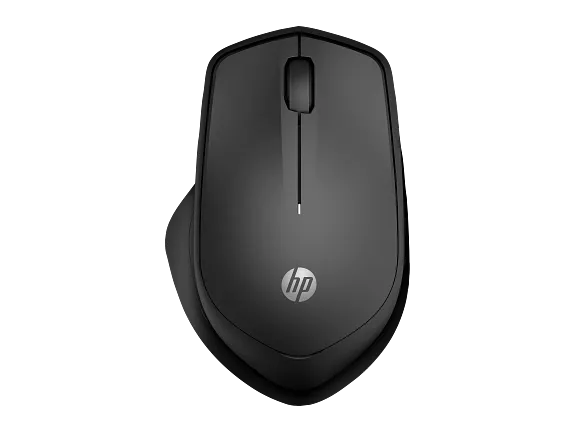
- Quiet Clicking: Designed to reduce left and right click noise for a quieter workspace.
- Ergonomic Design: Comfortable right-handed shape helps support the hand during everyday use.
- Thumb Rest: Provides additional support and comfort during longer work sessions.
- Reliable Wireless: Uses a 2.4 GHz wireless connection through a USB receiver.
- Multi-Surface Tracking: Optical technology provides reliable cursor control across many common surfaces.
- Long Battery Life: Designed for extended use with efficient power management.
- Easy Setup: Plug the USB receiver into a compatible computer for simple wireless operation.
- Ideal For: Office workers, home offices, shared workspaces, remote work, and everyday computing.
The HP 280 Silent Wireless Mouse is another strong choice for people who want quiet operation combined with a more traditional ergonomic shape.
HP says its left and right buttons provide up to 90% noise reduction, making it particularly suitable for offices, shared rooms, and work-from-home environments.
It connects through a 2.4 GHz USB dongle and provides an advertised wireless range of up to 32.8 feet (10 meters).
The mouse also incorporates HP’s multi-surface optical technology, which is designed to provide reliable tracking across a variety of surfaces.
Key Features
- Quiet left and right clicks
- Up to 90% click-noise reduction
- Ergonomic right-handed shape
- Thumb rest
- 2.4 GHz wireless connection
- USB-A dongle
- Multi-surface tracking
- Up to 18 months advertised battery life
Pros
- Quiet operation
- Comfortable office-oriented design
- Thumb support
- Long advertised battery life
- Works across many common surfaces
- Reliable USB wireless connection
Cons
- Requires a USB-A port
- No Bluetooth
- Primarily suited to right-handed users
- Larger than ultra-portable mice
Best For
Office workers, home-office users, shared workspaces, and people who prioritize quiet clicking and hand support.
Check Current Price on Amazon →
[Insert your Amazon.com SiteStripe affiliate link]
5. Logitech M185 Wireless Mouse — Best Basic Everyday Option
Logitech M185 Compact Ambidextrous 2.4 GHz Wireless Mouse
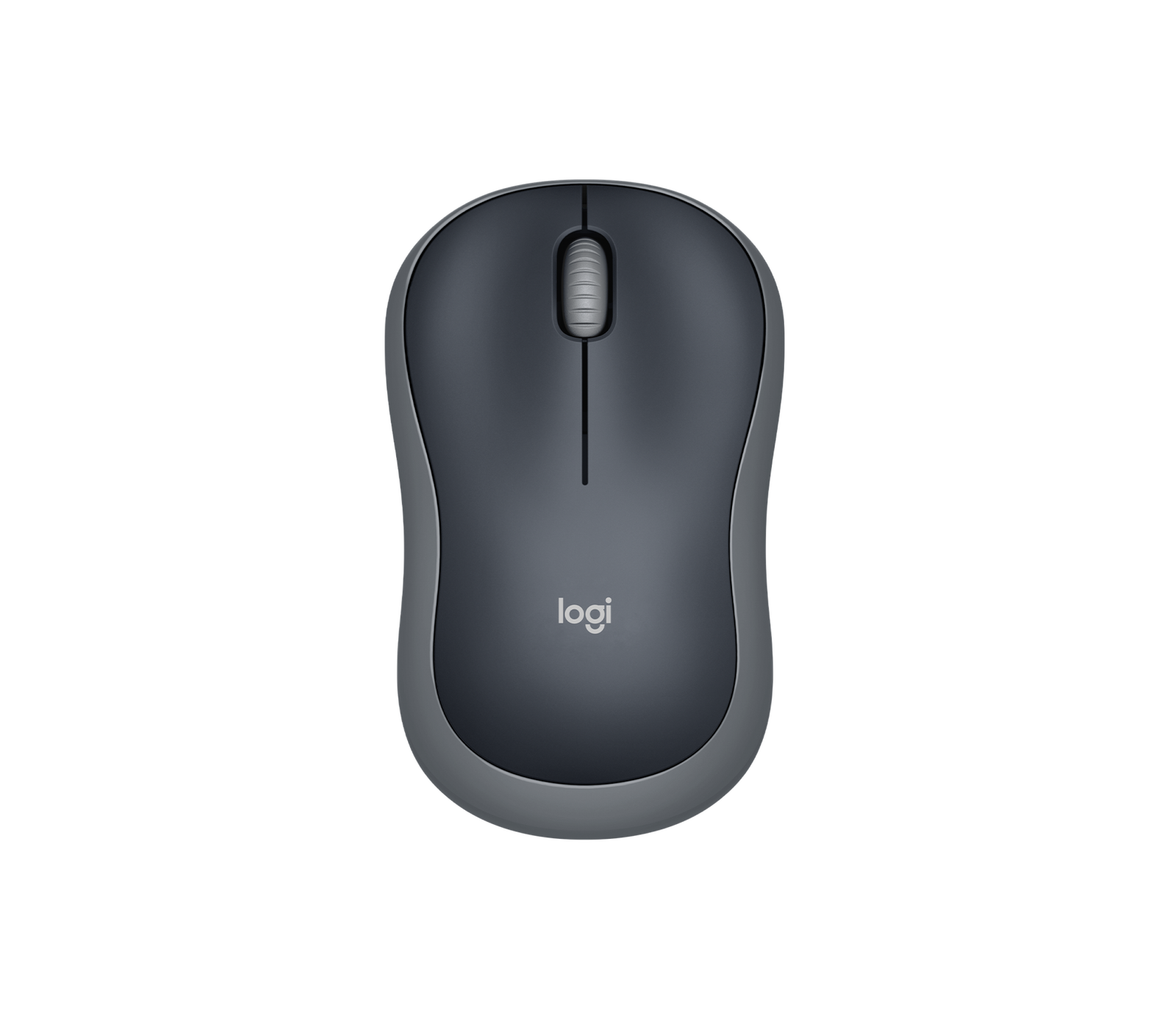
- Ambidextrous Design: Comfortable symmetrical shape is suitable for both right- and left-handed users.
- Reliable Wireless: Uses a 2.4 GHz wireless connection for convenient cable-free operation.
- Easy Setup: Simply plug the USB receiver into a compatible computer and start using the mouse.
- Smooth Tracking: Provides reliable cursor control for browsing, documents, email, and general office tasks.
- Simple Controls: Familiar buttons and scroll wheel make everyday navigation easy.
- Long Battery Life: Efficient power management helps reduce frequent battery replacement.
- Ideal For: Students, laptop users, home offices, casual browsing, work, and everyday computing.
If your needs are simple, the Logitech M185 is worth considering.
Rather than adding numerous productivity features, it focuses on the essentials: wireless connectivity, a compact shape, straightforward controls, and easy everyday use.
That makes it particularly suitable for a family computer, secondary laptop, schoolwork, browsing, email, and basic office tasks.
Its compact design also makes it easy to keep in a laptop bag.
Key Features
- Compact wireless design
- 2.4 GHz wireless connectivity
- USB receiver
- Simple three-button layout
- Scroll wheel
- Portable design
- Suitable for everyday computing
Pros
- Very easy to use
- Compact and portable
- Familiar mouse design
- Suitable for everyday tasks
- Straightforward plug-and-play connection
Cons
- No Bluetooth
- Few advanced features
- No dedicated productivity buttons
- Basic scrolling functionality
Best For
Basic computer use, students, secondary PCs, casual browsing, and budget-conscious shoppers.
Check Current Price on Amazon →
[Insert your Amazon.com SiteStripe affiliate link]
Which Wireless Mouse Should You Buy?
The right choice depends on how and where you use your computer.
Choose Logitech M330 Silent Plus if:
You want a comfortable, quiet mouse for everyday office and home use.
Choose Logitech Pebble Mouse 2 M350s if:
You want Bluetooth, portability, multi-device connectivity, and a modern slim design.
Choose Logitech M325S if:
You frequently carry your mouse with a laptop and want a compact mouse with useful scrolling controls.
Choose HP 280 Silent if:
You want a quiet office mouse with a larger ergonomic shape and thumb support.
Choose Logitech M185 if:
You simply need an affordable and straightforward wireless mouse for basic everyday computing.
How to Choose a Wireless Mouse Under $30
A low price doesn’t mean you should choose solely on cost. Consider these factors before buying.
1. Bluetooth vs USB Receiver
Wireless mice generally connect through Bluetooth or a 2.4 GHz USB receiver.
Bluetooth is particularly convenient for modern laptops because it doesn’t occupy a USB port.
A USB receiver, however, can be extremely simple to use: insert the receiver into a compatible port and the mouse is generally ready to work.
If your laptop only has USB-C ports, check carefully before buying a mouse that relies on a USB-A receiver.
2. Comfort and Mouse Size
Mouse shape matters if you work for several hours each day.
Compact mice are convenient for travel but may feel too small for some hands. Larger contoured mice can provide more support but take up more space in a laptop bag.
Think about whether you’ll primarily use the mouse at a permanent desk or while traveling.
3. Quiet Clicking
Quiet buttons can be surprisingly useful.
Consider a silent mouse if you regularly work:
- In a shared office
- During online meetings
- In a library
- Near other family members
- Late at night
The Logitech M330 Silent Plus and HP 280 Silent are particularly relevant for this requirement.
4. Battery Life
A wireless mouse with long battery life reduces maintenance and the need to keep replacement batteries nearby.
Several affordable mice advertise battery life of a year or longer, although actual battery performance varies according to usage and operating conditions.
5. Multi-Device Connectivity
If you work across several devices, a multi-device Bluetooth mouse can be more convenient than moving a USB receiver between computers.
This is one of the reasons the Logitech Pebble Mouse 2 M350s stands out in this price range.
6. Left- or Right-Handed Use
Some mice use a symmetrical shape that works comfortably with either hand.
Others are specifically contoured for right-handed users.
Check the design carefully if you’re left-handed.
7. Tracking
For everyday productivity, you don’t necessarily need extremely high DPI numbers.
Reliable tracking and predictable cursor movement are more important for typical office work, browsing, spreadsheets, and document editing.
Is a Wireless Mouse Under $30 Good Enough for Work?
For most everyday users, yes.
A quality budget wireless mouse can easily handle:
- Microsoft Office
- Google Docs
- Spreadsheets
- Web browsing
- Online meetings
- School and college work
- General home-office tasks
More expensive mice become worthwhile when you need features such as multiple programmable buttons, advanced ergonomic designs, precision sensors, high-speed scrolling, rechargeable batteries, or specialized creative and gaming controls.
For ordinary productivity, however, spending under $30 can provide excellent value.
Frequently Asked Questions
What is the best wireless mouse under $30?
For general work and everyday productivity, the Logitech M330 Silent Plus is our preferred option because it combines quiet clicking, a comfortable right-handed shape, reliable wireless connectivity, and long advertised battery life.
What is the best Bluetooth mouse under $30?
The Logitech Pebble Mouse 2 M350s is a strong option for users who want Bluetooth connectivity, portability, quiet operation, and the ability to work across multiple compatible devices.
Is a wireless mouse good for working from home?
Yes. A wireless mouse reduces desk clutter and gives you more freedom to position your mouse comfortably. Quiet models can be especially useful in shared home workspaces.
Is Bluetooth better than a USB wireless mouse?
It depends on your setup. Bluetooth doesn’t require a USB receiver, which is helpful for laptops with limited ports. A 2.4 GHz USB mouse can offer an extremely simple plug-and-play experience.
How long does a wireless mouse battery last?
Battery life varies considerably. Some budget wireless mice advertise more than a year of battery life. Usage, battery quality, operating conditions, and power-saving features all affect actual performance.
Can I use a wireless mouse with a laptop?
Yes. Most modern laptops support wireless mice through Bluetooth, a USB receiver, or both. Check your laptop’s available ports and operating-system compatibility before purchasing.
Are cheap wireless mice reliable?
A low price doesn’t automatically mean poor quality. Established models from manufacturers such as Logitech and HP can provide reliable performance for ordinary productivity without premium pricing.
Final Thoughts
You don’t need an expensive mouse for everyday productivity.
The Logitech M330 Silent Plus is our top recommendation for users who want a quiet and comfortable mouse for regular office work.
The Logitech Pebble Mouse 2 M350s is the better choice if portability, Bluetooth connectivity, and multi-device use are priorities.
For travelers, the Logitech M325S provides a useful balance of portability and scrolling control, while the HP 280 Silent is particularly appealing for a more traditional office setup.
Finally, users who simply need a dependable mouse for basic computing should consider the Logitech M185.
Before purchasing, check the current price, compatibility, connection type, dimensions, and latest specifications on the retailer or manufacturer’s website.
Prices, availability, and specifications may change over time. Product recommendations are based on features, specifications, intended use, and available product information; they should not be interpreted as claims that every product has been personally tested.