Introduction
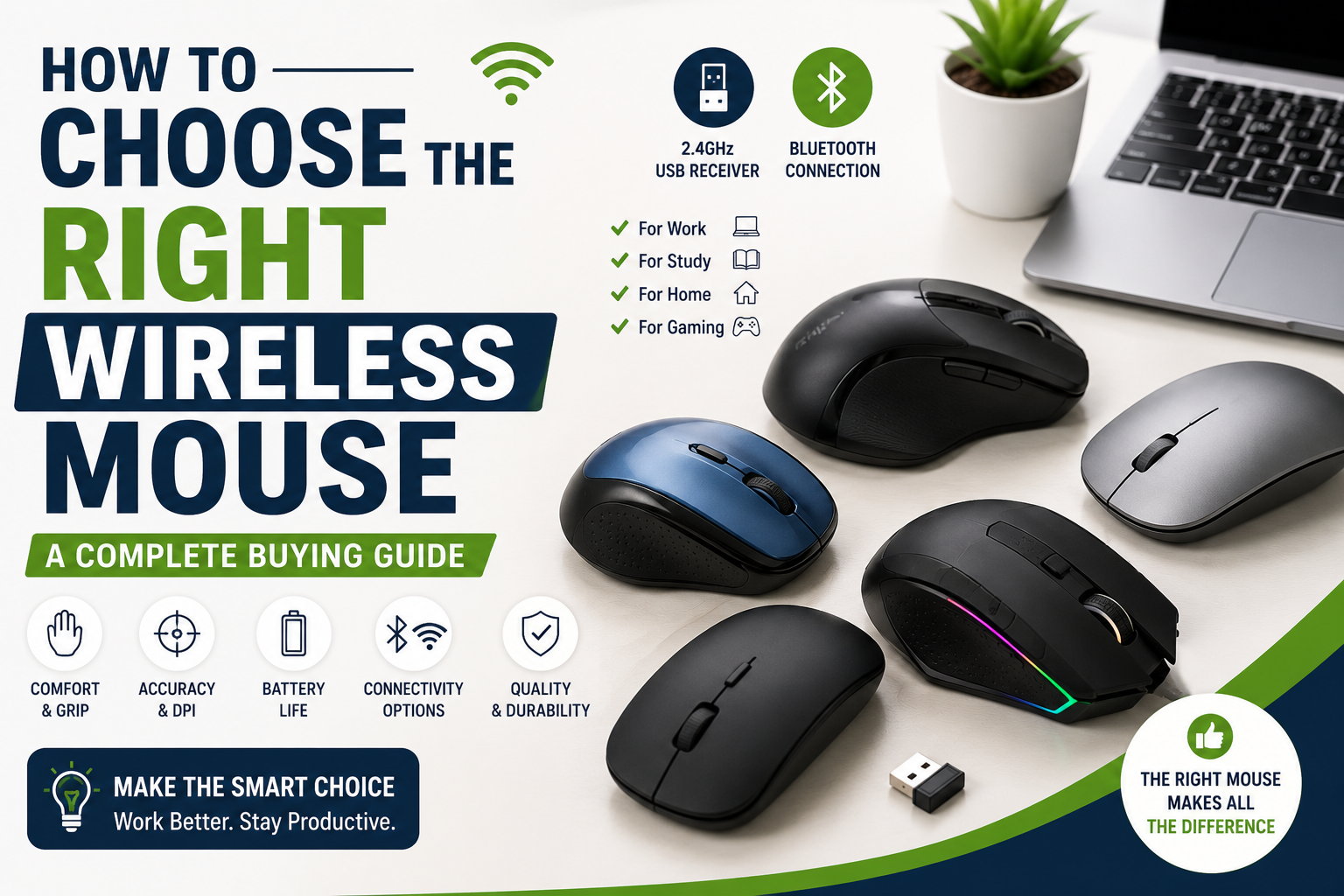
A wireless mouse is one of the simplest upgrades you can make to improve your computer experience. Whether you’re working from home, attending online classes, editing documents, or browsing the web, the right mouse can make everyday tasks faster, more comfortable, and more enjoyable.
However, choosing a wireless mouse isn’t as simple as picking the cheapest or most expensive model. Different users have different needs, and understanding the key features will help you make a smarter purchase.
In this guide, we’ll explain everything you need to know before buying a wireless mouse.
Affiliate Disclosure: This article may contain affiliate links. If you purchase through these links, Arunova may earn a commission at no additional cost to you.
Why Choose a Wireless Mouse?
Wireless mice have become increasingly popular because they offer greater flexibility and reduce cable clutter.
Compared with traditional wired mice, wireless models provide a cleaner workspace and are easier to carry between home, office, and travel.
Advantages
- No cable clutter
- Easy to carry
- Cleaner desk setup
- Comfortable movement
- Suitable for laptops
- Easy to use during presentations
- Ideal for work-from-home users
Understand the Two Main Types of Wireless Mouse
Before buying, it’s important to know how wireless mice connect to your computer.
1. USB Receiver (2.4 GHz)
This is the most common type.
A tiny USB receiver plugs into your laptop or desktop, allowing the mouse to connect automatically.
Advantages
- Very stable connection
- Quick response
- Easy setup
- Compatible with most computers
Limitations
- Occupies one USB port
- Small receiver can be misplaced
Ideal for:
- Office work
- Students
- Desktop computers
- Everyday users
2. Bluetooth Mouse
Bluetooth mice connect directly to your computer without requiring a USB receiver.
Advantages
- No USB receiver needed
- Saves USB ports
- Cleaner setup
- Convenient for modern laptops
Limitations
- Initial pairing takes a little longer
- Some older computers may not support Bluetooth
Ideal for:
- Ultrabooks
- Tablets
- MacBooks
- Users with limited USB ports
Choose the Right Size
Many buyers ignore the size of the mouse.
A mouse that is too small or too large can become uncomfortable during long working hours.
Small Mouse
Suitable for:
- Travel
- Small hands
- Portable use
Medium Mouse
Suitable for:
- Most users
- Daily office work
- Students
Large Mouse
Suitable for:
- Larger hands
- Long working hours
- Better palm support
Whenever possible, choose a size that allows your hand to rest naturally without stretching or squeezing.
Consider Your Grip Style
Different people naturally hold a mouse differently.
Palm Grip
Your entire hand rests on the mouse.
Best for:
- Long working hours
- Office users
- Beginners
Claw Grip
Only your fingertips and part of your palm touch the mouse.
Best for:
- Faster movement
- Some gaming users
Fingertip Grip
Only your fingertips control the mouse.
Best for:
- Quick movements
- Portable mice
For most office users, a mouse designed for a comfortable palm grip is the best choice.
DPI: What Does It Mean?
DPI stands for Dots Per Inch.
It measures how sensitive the mouse cursor is.
Higher DPI means the cursor moves farther with less physical movement.
Low DPI
Suitable for:
- General office work
- Web browsing
- Students
Medium DPI
Suitable for:
- Productivity
- Graphic design
- Multi-monitor setups
High DPI
Suitable for:
- Competitive gaming
- Fast cursor movement
- Professional editing
For everyday work, adjustable DPI is a useful feature because it allows you to switch sensitivity based on your task.
Battery Life
Wireless mice typically use either disposable batteries or rechargeable batteries.
Replaceable Battery
Advantages:
- Easy to replace
- Long operating time
- No charging downtime
Limitations:
- Ongoing battery cost
Rechargeable Mouse
Advantages:
- No disposable batteries
- Environmentally friendly
- Convenient charging
Limitations:
- Needs charging periodically
For office work, choose a model that offers long battery life and automatic sleep mode.
Comfort Matters More Than Fancy Features
Many advertisements focus on colorful lighting or gaming features.
For most users, comfort is much more important.
Look for:
- Comfortable shape
- Good grip
- Smooth buttons
- Easy scrolling
- Quiet clicking (if preferred)
- Lightweight design
If you work for several hours each day, comfort should always be your top priority.
Number of Buttons
Most users only need:
- Left click
- Right click
- Scroll wheel
Some mice include additional programmable buttons.
These extra buttons can help with:
- Browser navigation
- Copy and paste shortcuts
- Productivity software
- Graphic design applications
If you’re a beginner, a standard mouse with three to five buttons is usually sufficient.
Silent Click vs Standard Click
Some wireless mice are designed with quiet buttons.
Silent Click Mouse
Advantages
- Less noise
- Better for shared workspaces
- Comfortable for online meetings
- Suitable for libraries
Standard Click Mouse
Advantages
- Traditional click feedback
- Often slightly lower cost
If you frequently work around family members or attend online meetings, a silent-click mouse can be a worthwhile choice.
Compatibility
Before purchasing, check that the mouse works with your device.
Most wireless mice support:
- Windows
- macOS
- Linux
- ChromeOS
Some also work with:
- Android tablets
- iPads
- Smart TVs
Always confirm compatibility on the manufacturer’s specifications.
Build Quality
A good mouse should feel durable.
Look for:
- Quality plastic construction
- Smooth scroll wheel
- Responsive buttons
- Strong wireless connection
- Reliable brand warranty
Reading recent customer reviews can also help identify any common durability issues.
Common Mistakes to Avoid
Buying the Cheapest Mouse Available
A very low-cost mouse may have poor tracking, unreliable buttons, or short battery life.
Ignoring Ergonomics
A mouse that feels uncomfortable after an hour of use may become frustrating over time.
Buying a Gaming Mouse for Office Work
Gaming mice often include features that many office users will never use. A simpler productivity mouse may offer better value.
Forgetting to Check Connectivity
Ensure your laptop supports the connection type you choose, especially if selecting a Bluetooth model.
Ignoring Warranty
A longer warranty often reflects the manufacturer’s confidence in the product.
Which Wireless Mouse Is Right for You?
Students
Choose:
- Affordable
- Lightweight
- Reliable battery life
- Comfortable size
Office Professionals
Choose:
- Silent buttons
- Comfortable palm grip
- Adjustable DPI
- Long battery life
Freelancers
Choose:
- Bluetooth or dual-mode connectivity
- Ergonomic design
- Reliable tracking
Travelers
Choose:
- Compact design
- Lightweight
- Protective carrying pouch if available
Frequently Asked Questions
Is a wireless mouse better than a wired mouse?
For most home and office users, a wireless mouse offers greater convenience and a cleaner workspace. Wired mice remain popular where continuous power or minimal latency is preferred.
Is Bluetooth better than a USB receiver?
Both are excellent options.
Choose Bluetooth if you want to save USB ports. Choose a USB receiver if you prefer a quick, simple setup with a consistently stable connection.
How long do wireless mouse batteries last?
Battery life varies by model and usage. Many modern wireless mice can operate for several months before requiring new batteries or a recharge.
Do I need adjustable DPI?
It’s helpful but not essential. Adjustable DPI allows you to change cursor speed for different tasks.
Can I use one wireless mouse with multiple devices?
Some premium models support multiple devices and allow you to switch between them using a dedicated button. Check the product specifications if this feature is important to you.
Final Thoughts
The best wireless mouse isn’t necessarily the most expensive one—it’s the one that matches your needs, budget, and daily work style.
Focus on comfort, reliable connectivity, battery life, and compatibility before considering extra features. A well-chosen wireless mouse can improve productivity, reduce strain, and make everyday computing much more enjoyable.
If you’re buying your first wireless mouse, prioritize a comfortable design from a trusted brand rather than advanced features you may never use.
Related Articles
- Essential Computer Accessories for Work-from-Home Beginners
- How to Set Up a Budget Home Office in India
- Best Wireless Mouse Under ₹1,000 in India
- Wireless Mouse vs Wired Mouse: Which One Should You Buy?
- Best Laptop Stands for Work from Home
- USB Hub Buying Guide for Beginners