Wi-Fi Extender vs Mesh Wi-Fi
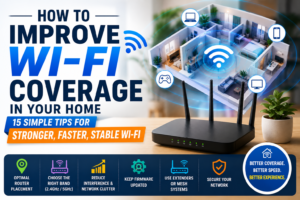
In our previous guide, How to Improve Wi-Fi Coverage in Your Home, we discussed several free ways to improve your wireless signal.
But what if you’ve already moved your router, reduced interference, and optimized your settings—yet some rooms still have poor Wi-Fi?
The answer is usually one of two devices:
-
- A Wi-Fi Extender
-
- A Mesh Wi-Fi System
Although both improve wireless coverage, they work very differently. Choosing the wrong one may leave you disappointed or cause you to spend more money than necessary.
This guide explains the differences and helps you decide which option best suits your home.
Affiliate Disclosure: Some links on Arunova.net are affiliate links. If you purchase through qualifying links, we may earn a small commission at no additional cost to you. Our recommendations are based on research, product features, and practical use cases.
What Is a Wi-Fi Extender?
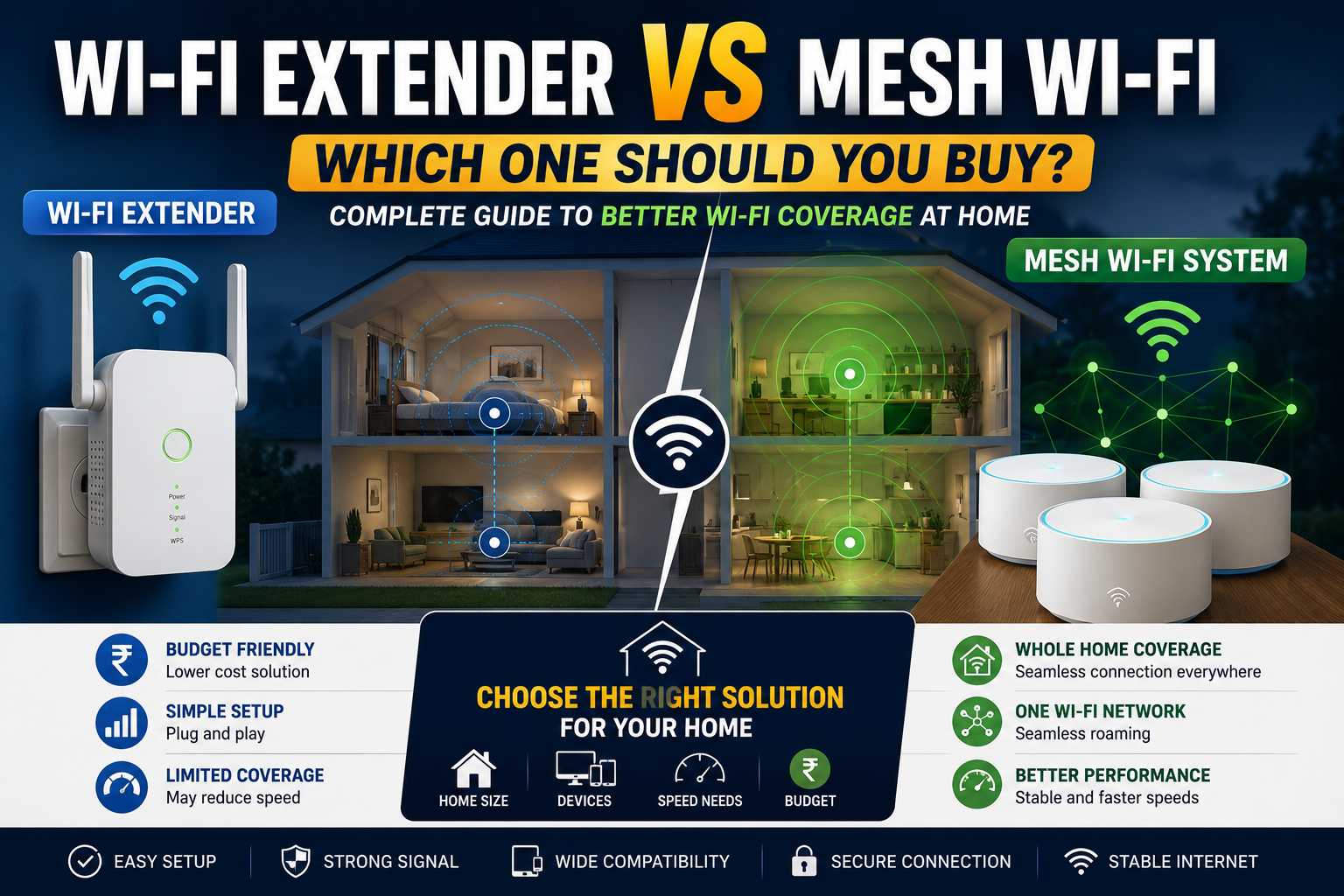
A Wi-Fi extender (also called a Wi-Fi repeater or range extender) receives your router’s wireless signal and rebroadcasts it to increase coverage.
Think of it as a relay station between your router and the room where the signal is weak.
Best For
-
- Small apartments
-
- Two or three rooms
-
- Budget-conscious buyers
-
- Occasional dead zones
Advantages of a Wi-Fi Extender
-
- Affordable
-
- Easy to install
-
- Improves coverage in one direction
-
- Available from many brands
-
- No need to replace your router
Disadvantages
-
- Speed may decrease because the extender uses part of its wireless capacity to communicate with the main router.
-
- Roaming between networks may not always be seamless.
-
- Coverage is limited compared with a mesh system.
-
- Performance depends on where the extender is placed.
What Is a Mesh Wi-Fi System?
A mesh Wi-Fi system consists of multiple devices (often called nodes or satellites) that work together as one wireless network.
Instead of extending a single signal, each node communicates with the others to create broad, consistent coverage throughout your home.
You connect one node to your modem, while the remaining nodes are placed in different areas of the house.
Advantages of Mesh Wi-Fi
-
- One Wi-Fi network throughout the home
-
- Smooth roaming between rooms
-
- Better coverage for large homes
-
- Strong performance with many connected devices
-
- Easy expansion by adding more nodes
-
- Modern mobile app management
Disadvantages
-
- Higher cost
-
- More hardware required
-
- May be unnecessary for very small homes
Wi-Fi Extender vs Mesh Wi-Fi
| Feature | Wi-Fi Extender | Mesh Wi-Fi |
|---|---|---|
| Price | Lower | Higher |
| Coverage | Small to Medium | Medium to Very Large |
| Setup | Easy | Easy |
| Roaming | Limited | Excellent |
| Multiple Floors | Fair | Excellent |
| Device Management | Basic | Advanced |
| Future Expansion | Limited | Easy |
| Best For | Apartments | Large Homes |
Which One Should You Choose?
Buy a Wi-Fi Extender If:
-
- Your home has one or two weak signal areas.
-
- You have a limited budget.
-
- Your existing router is still modern.
-
- You only need to improve coverage in a bedroom or office.
Buy a Mesh Wi-Fi System If:
-
- Your house has multiple floors.
-
- Several family members stream videos or work from home.
-
- You experience dead zones in many rooms.
-
- You own many smart home devices.
-
- You want the best overall Wi-Fi experience.
Best Placement Tips
Regardless of which option you choose:
-
- Never place the extender where the signal is already weak.
-
- Position it about halfway between the router and the dead zone.
-
- Place mesh nodes in open spaces.
-
- Avoid thick concrete walls.
-
- Keep devices away from microwaves and large metal objects.
Correct placement often makes a bigger difference than buying more expensive equipment.
Common Mistakes
Placing the Extender Too Far Away
The extender cannot improve a signal it barely receives.
Buying Too Many Extenders
Multiple extenders can create unnecessary complexity and reduce performance.
Expecting Full Internet Speed Everywhere
Even with excellent equipment, Wi-Fi performance varies depending on distance, walls, interference, and connected devices.
Ignoring Router Age
An old router may limit the benefits of a new extender or mesh system.
Frequently Asked Questions
Does a Wi-Fi extender reduce internet speed?
It can. Wireless repeaters use part of their bandwidth to communicate with the main router, so speeds may be lower than when connected directly.
Is Mesh Wi-Fi faster?
In many homes, a mesh system provides more consistent performance and smoother roaming than a traditional extender.
Can I use multiple extenders?
Yes, but multiple extenders can increase complexity and may not provide the same experience as a mesh system.
Is Mesh Wi-Fi worth the money?
If you have a large home, multiple floors, or many connected devices, a mesh system is often worth the investment.
Can I use my existing router?
Yes. Many extenders work with most modern routers. Some mesh systems can also operate alongside an existing router, while others are designed to replace it.
Final Verdict
If you simply need to improve Wi-Fi in one room, a Wi-Fi extender is usually the most economical solution.
However, if your home has several dead zones, multiple floors, or many connected devices, investing in a mesh Wi-Fi system provides better long-term coverage, smoother roaming, and a more reliable wireless experience.
The right choice depends on your home’s size, your budget, and how you use your internet connection.