
Finding a good wireless keyboard doesn’t mean spending $100 or more. Whether you’re setting up a home office, studying, working remotely, or simply want to remove cables from your desk, there are several capable wireless keyboards available for less than $50.
In this guide, we’ve selected wireless keyboards that offer a useful balance of typing comfort, connectivity, portability, features, and value.
Affiliate Disclosure: As an Amazon Associate I earn from qualifying purchases. This article may contain affiliate links, which means we may earn a commission from qualifying purchases at no additional cost to you.
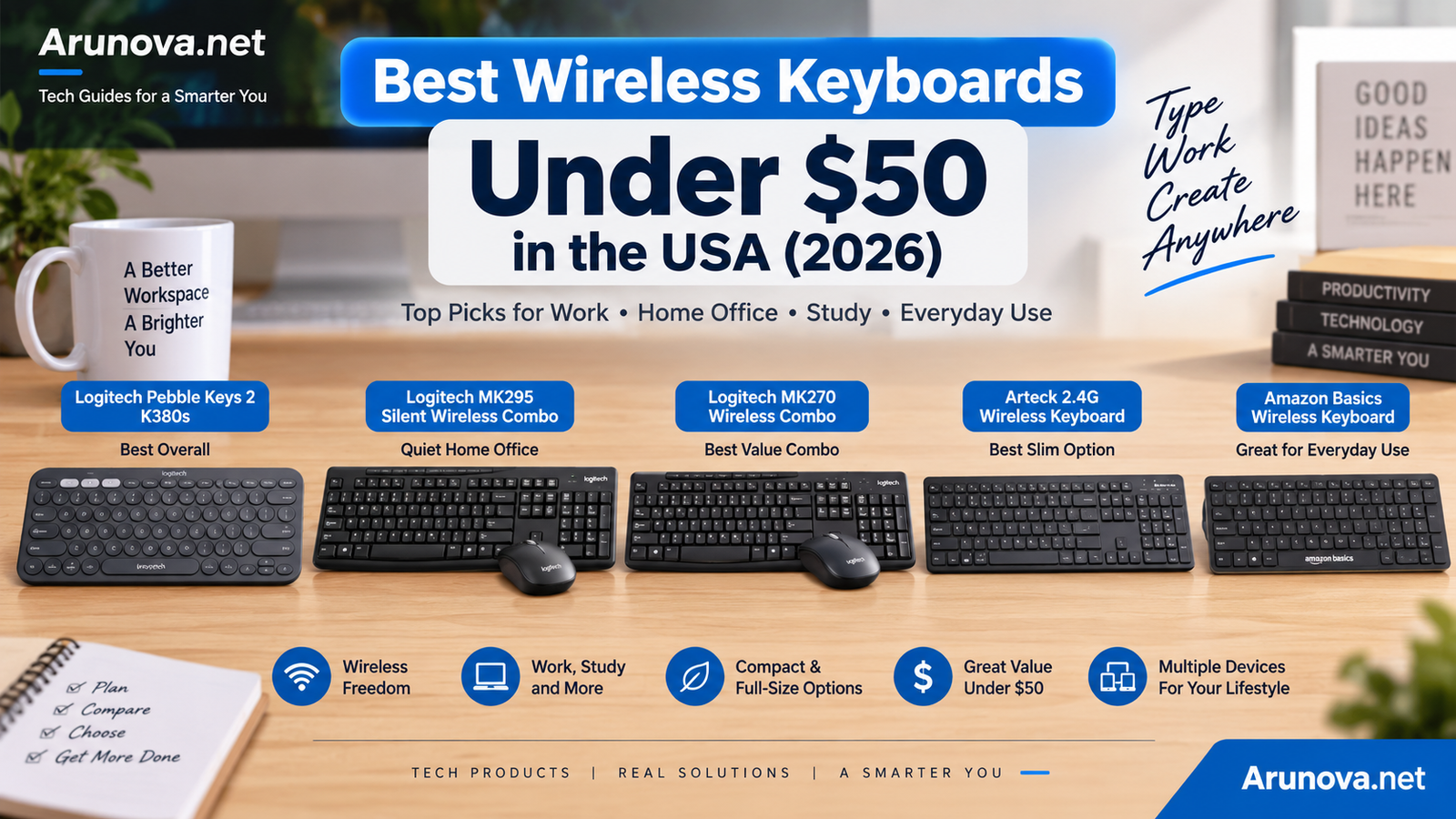
Quick Recommendation: For most people who want a compact keyboard that can work across multiple devices, the Logitech Pebble Keys 2 K380s is our top pick. If you prefer a traditional full-size keyboard and also need a mouse, consider the Logitech MK295 Silent Wireless Combo.
Quick Comparison: Best Wireless Keyboards Under $50
| Product | Best For | Connection | Layout | Notable Feature |
|---|---|---|---|---|
| Logitech Pebble Keys 2 K380s | Best Overall | Bluetooth | Compact | Multi-device connectivity |
| Logitech MK295 Silent Wireless Combo | Quiet Home Office | 2.4 GHz USB | Full-size | Quiet keyboard + mouse |
| Logitech MK270 Wireless Combo | Best Value Combo | 2.4 GHz USB | Full-size | Keyboard + mouse |
| Arteck 2.4G Wireless Keyboard | Slim Desk Setup | 2.4 GHz USB | Full-size | Slim profile |
| Amazon Basics Wireless Keyboard | Basic Everyday Use | Wireless USB | Full-size | Simple, affordable design |
Note: Prices and availability can change frequently. Check the current Amazon.com listing before purchasing.
1. Logitech Pebble Keys 2 K380s — Best Overall
The Logitech Pebble Keys 2 K380s is an excellent choice for people who want a compact, modern wireless keyboard for work, study, or everyday computing.
Its low-profile design makes it particularly suitable for smaller desks and users who prefer a laptop-style typing experience.
One of its biggest advantages is multi-device connectivity. You can connect compatible computers, tablets, and smartphones through Bluetooth and switch between devices, making it useful for people who regularly work across more than one device.
Logitech rates its battery life at up to 36 months, although actual battery life will depend on usage.
Key Features
- Compact, lightweight design
- Bluetooth Low Energy connectivity
- Connects to multiple devices
- Quiet, low-profile typing
- Customizable shortcut keys with Logi Options+
- Up to 36 months of advertised battery life
- Windows and macOS support
- Compatible with selected additional operating systems/devices
Pros
- Excellent for small desks
- Easy to carry
- Quiet typing
- Long advertised battery life
- Useful multi-device switching
- Modern appearance
Cons
- No dedicated number pad
- No backlighting
- Circular key shape may take some adjustment
- Logi Bolt USB receiver is not included
Best For
Remote workers, students, travelers, tablet users, and anyone wanting a compact multi-device keyboard.
Logitech Pebble Keys 2 K380s Wireless Bluetooth Keyboard – Tonal Rose

- Defy Boring: With a slim design, multiple colors and smarter tech, this Bluetooth keyboard from the Pebble 2 Collection lets you express your vibe and make your statement
- Never Made Ordinary, Made to go places: the Pebble Keys 2 K380s keyboard is slim, compact, portable and made with recycled plastic (1)
- Easily Hop Across 3 Devices: Use Bluetooth to connect up to 3 wireless devices across OSs (Windows, macOS, iPadOS, ChromeOS), and switch between them with one click of the Easy-Switch buttons
- Save Time: Get instant access to search, screen capture, the emoji menu and more with Fn shortcut keys; personalize the 10 Fn keys with Logi Options plus app (2) so you can do things your way
- Feel-Good Typing at Your Fingertips: The Pebble Keys 2 K380s Quiet Keyboard comes with scooped round keys and a familiar, laptop-like typing experience for effortless, comfy typing
- Go for Longer: This wireless keyboard gives you hours of use with a 3-year battery (3), auto-sleep power-saving mode, and 50% more battery life (4), for worry-free usage; batteries included
- A Design Choice You’ll Feel Good About: Plastic parts in the Pebble Keys 2 K380s Slim Keyboard include minimum 49% certified post-consumer recycled plastic (1)
- Compatible with MacBook Neo laptops: instant Bluetooth connection, seamless & color-matched
2. Logitech MK295 Silent Wireless Combo — Best for a Quiet Home Office
If keyboard noise bothers you—or the people around you—the Logitech MK295 Silent Wireless Combo deserves serious consideration.
Unlike the compact K380s, the MK295 provides a traditional full-size keyboard complete with a number pad. It also includes a wireless mouse, making it a convenient all-in-one solution for a desktop or home-office setup.
Logitech’s SilentTouch technology is designed to reduce typing and clicking noise by more than 90% compared with the company’s MK270 combo, while maintaining a familiar typing experience.
The keyboard connects through a small 2.4 GHz USB receiver and offers an advertised wireless range of up to approximately 10 meters.
Key Features
- Full-size keyboard with number pad
- Keyboard and wireless mouse included
- SilentTouch technology
- 2.4 GHz wireless connection
- USB nano receiver
- Eight shortcut keys
- Spill-resistant keyboard design
- Adjustable keyboard height
- Up to 36-month keyboard battery life
- Up to 18-month mouse battery life
Pros
- Much quieter than a conventional keyboard/mouse combo
- Full number pad
- Mouse included
- Long advertised battery life
- Straightforward USB connection
- Good choice for office work
Cons
- Requires an available USB port
- Larger than compact keyboards
- No Bluetooth
- No backlighting
Best For
Home offices, shared workspaces, late-night work, data entry, and users who prefer a full-size keyboard.
Logitech MK295 Silent Wireless Combo — Best for a Quiet Home Office
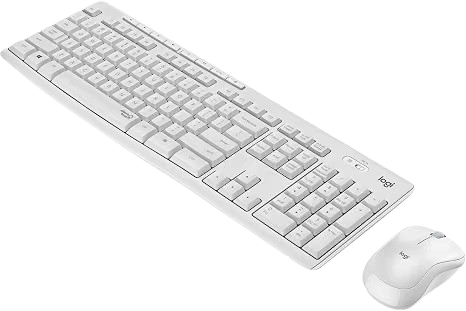
- · SilentTouch Technology: Delivers a familiar typing and clicking experience with over 90% less noise.
- · Full-Size Keyboard: Includes a number pad and 8 convenient shortcut keys for efficient work.
- · Reliable Wireless: 2.4 GHz connection with a USB receiver and up to 10 m wireless range.
- · Plug & Play: Simple setup and compatible with Windows and ChromeOS.
- · Durable Design: Spill-resistant keyboard with sturdy keys and adjustable tilt legs.
- · Long Battery Life: Up to 36 months for the keyboard and 18 months for the mouse.
- · Comfortable Mouse: Compact, contoured mouse with smooth optical tracking.
3. Logitech MK270 Wireless Keyboard and Mouse Combo — Best Value Combo
The Logitech MK270 is a straightforward option for shoppers who want both a wireless keyboard and mouse without paying for premium features.
The full-size keyboard includes a number pad, arrow keys, and eight media controls, making it suitable for everyday productivity.
It uses Logitech’s 2.4 GHz wireless connection through a USB receiver and offers an advertised range of up to 10 meters under suitable conditions.
The keyboard is also designed to resist limited accidental spills.
Key Features
- Full-size keyboard
- Number pad
- Wireless mouse included
- 2.4 GHz USB wireless
- Eight media controls
- Adjustable keyboard height
- Spill-resistant design
- Up to 36-month keyboard battery life
- Up to 12-month mouse battery life
Pros
- Keyboard and mouse in one package
- Familiar full-size layout
- Number pad is useful for office work
- Simple plug-and-play design
- Strong value for everyday computing
Cons
- No Bluetooth
- Basic design
- Not designed for especially quiet typing
- Requires a USB port
Best For
Budget-conscious home-office users, students, family computers, and general everyday use.
Logitech MK270 Wireless Keyboard and Mouse Combo
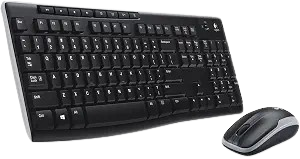
- · Reliable Wireless: USB receiver provides a stable connection up to 33 ft (10 m).
- · Comfortable Typing: Low-profile, quiet keys with a full-size layout, number pad, F-keys, and arrow keys.
- · Durable Design: Spill-resistant keyboard with sturdy keys and adjustable tilt legs.
- · Long Battery Life: Up to 36 months for the keyboard and 12 months for the mouse.
- · 8 Multimedia Keys: Quick access to internet, email, playback, and volume controls.
- · Comfortable Mouse: Compact ambidextrous design with smooth cursor control.
- · Practical Combo: Combines familiar typing, wireless convenience, and long-lasting battery life.
4. Arteck 2.4G Wireless Keyboard — Best Slim Full-Size Option
The Arteck 2.4G Wireless Keyboard is worth considering if you want the convenience of a full-size keyboard without a bulky traditional design.
Its slim profile works particularly well on minimalist desks, while the number pad makes it more practical for spreadsheets, accounting, and office tasks than many compact wireless keyboards.
A USB receiver provides a simple wireless connection without requiring Bluetooth pairing.
Pros
- Slim design
- Full-size layout
- Dedicated number pad
- Suitable for office productivity
- Simple wireless setup
Cons
- Less suitable if you specifically need Bluetooth
- Not as portable as a compact keyboard
- Features can vary between Arteck models, so check the exact listing
Best For
Office users who want a slim keyboard while retaining a number pad.
Arteck 2.4G Wireless Keyboard Ultra Slim and Compact Keyboard with Media Hotkeys
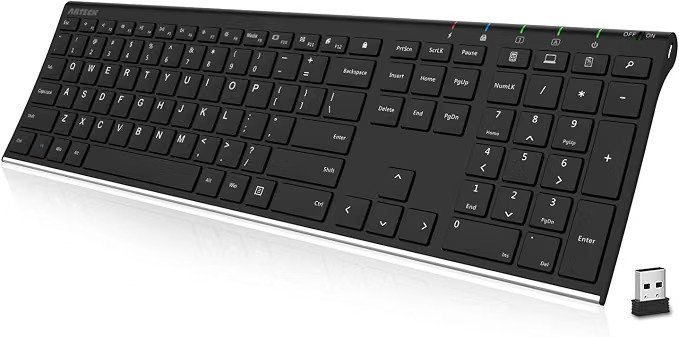
- · Easy Setup: Plug in the nano USB receiver and start using the keyboard instantly.
- · Comfortable Typing: Scissor-key design with low-profile, quiet keys.
- · Long Battery Life: Up to 4 months of use with automatic sleep mode.
- · Slim & Lightweight: Compact 11.12-inch design with full-size keys and useful shortcuts.
- · Package Includes: Keyboard, USB receiver, 2 AAA batteries, user guide, and 24-month warranty.
5. Amazon Basics Wireless Keyboard — Best for Basic Everyday Use
For users who simply need an inexpensive wireless keyboard for browsing, email, documents, and general computer use, an Amazon Basics wireless keyboard can be worth considering.
The appeal here is simplicity rather than premium features.
A conventional full-size layout is generally easier for users moving from a standard desktop keyboard, particularly when they regularly use the number pad.
Pros
- Simple design
- Suitable for everyday computing
- Full-size layout
- Good option for basic home or office setups
Cons
- Fewer advanced features
- Not intended for enthusiasts or gaming
- Exact specifications can vary by currently available model
Best For
Basic home computers, occasional office work, and users who don’t need advanced keyboard features.
Amazon Basics Modern Wireless Keyboard with Numeric Keypad
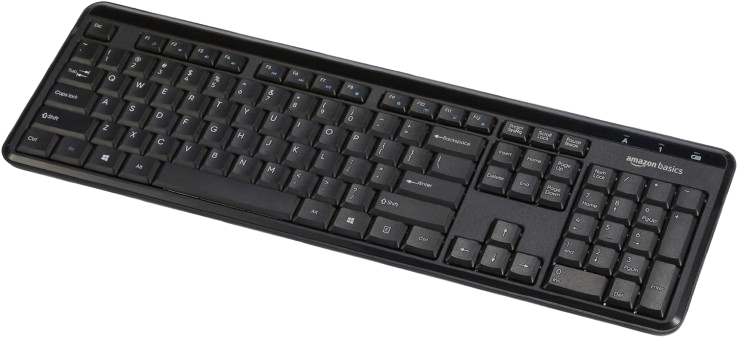
- · Quiet Typing: Sound-dampened keys provide a quieter, comfortable typing experience.
- · Full Functionality: Includes a number pad and 12 convenient multimedia hotkeys.
- · Secure Wireless: 128-bit AES encryption helps protect data transmission.
- · Easy Setup: Plug-and-play USB receiver requires no additional drivers.
- · Windows Compatible: Designed for compatible Windows PCs.
Which Wireless Keyboard Should You Buy?
The best choice depends on how you work.
Choose Logitech Pebble Keys 2 K380s if:
You want a compact, modern keyboard, frequently switch between devices, or need something portable.
Choose Logitech MK295 if:
You want a quiet full-size keyboard and would also like a wireless mouse.
Choose Logitech MK270 if:
You want a simple and affordable keyboard-and-mouse combination for everyday use.
Choose Arteck if:
You want a slim full-size keyboard with a number pad.
Choose Amazon Basics if:
Your priority is a simple wireless keyboard for everyday computing.
How to Choose a Wireless Keyboard Under $50
Price shouldn’t be the only consideration. Before buying, look at these factors.
1. Bluetooth vs USB Receiver
Wireless keyboards commonly connect using Bluetooth or a 2.4 GHz USB receiver.
Bluetooth is particularly convenient for laptops, tablets, and devices with limited USB ports.
A USB receiver can provide an extremely straightforward connection for desktop computers—plug in the receiver and start using the keyboard.
2. Full-Size vs Compact
A full-size keyboard usually includes a dedicated number pad.
This can be valuable for:
- Accounting
- Spreadsheets
- Data entry
- Office work
Compact keyboards remove some keys or rearrange the layout to reduce their footprint.
They’re better suited to small desks, travel, and minimalist workspaces.
3. Multi-Device Support
If you regularly use a laptop, tablet, and smartphone, look for a keyboard capable of pairing with multiple devices.
Being able to switch between them can significantly improve convenience.
4. Battery Life
Good wireless keyboards can operate for months—or even years under manufacturer estimates—before their replaceable batteries need changing.
Remember that actual battery life varies according to usage and operating conditions.
5. Typing Noise
Quiet keyboards can make a noticeable difference in:
- Shared offices
- Bedrooms
- Libraries
- Video meetings
- Late-night working
If quiet operation is particularly important, the Logitech MK295 is one of the more interesting choices in this price range.
6. Number Pad
If you frequently work with numbers, don’t underestimate the usefulness of a dedicated number pad.
For spreadsheets and accounting, a full-size keyboard may be worth the additional desk space.
7. Compatibility
Always verify compatibility with your device before purchasing.
Some keyboards work across Windows, macOS, ChromeOS, Android, iPadOS, and other platforms, while others are primarily designed for PCs.
Are Wireless Keyboards Under $50 Worth It?
For most everyday users, yes.
A sub-$50 keyboard can provide everything needed for:
- Work from home
- Web browsing
- School and college work
- Writing
- Spreadsheets
- Online meetings
- General productivity
Spending more becomes worthwhile when you specifically need premium mechanical switches, advanced ergonomic designs, sophisticated customization, high-performance gaming features, or premium construction.
For regular productivity, however, there are plenty of capable choices below $50.
Frequently Asked Questions
What is the best wireless keyboard under $50?
For users who value portability and multi-device connectivity, the Logitech Pebble Keys 2 K380s is one of the strongest overall options. Users who prefer a full-size layout and included mouse should consider the Logitech MK295 Silent Wireless Combo.
Is Bluetooth better than a USB wireless keyboard?
Neither is universally better. Bluetooth saves a USB port and is useful for tablets and laptops, while a 2.4 GHz USB receiver can provide a very simple connection for desktop and laptop computers.
Do wireless keyboards have input lag?
Modern wireless keyboards are generally responsive enough for office work, typing, browsing, and everyday computing. Competitive gamers may have different performance requirements.
Do I need a number pad?
A number pad is especially useful for spreadsheets, accounting, financial work, and frequent numerical data entry. Otherwise, a compact keyboard can save considerable desk space.
Are wireless keyboards good for working from home?
Yes. They reduce desk clutter and allow more flexibility in positioning your keyboard. Models with quiet keys can be particularly useful for shared home workspaces.
How long do wireless keyboard batteries last?
It varies considerably by model and usage. Some keyboards advertise battery life measured in years. For example, Logitech rates the Pebble Keys 2 K380s and several of its full-size wireless keyboards for up to 36 months under specified usage conditions.
Final Thoughts
You don’t have to spend heavily to get a useful wireless keyboard.
The Logitech Pebble Keys 2 K380s is our preferred choice for users wanting portability, quiet laptop-style typing, and multi-device Bluetooth connectivity.
For a more traditional home-office setup, the Logitech MK295 Silent Wireless Combo stands out because it combines a full-size keyboard, number pad, mouse, and quieter operation.
The Logitech MK270 remains a practical alternative when simplicity and value are the priorities.
Before purchasing, compare the current price, keyboard layout, connectivity method, operating-system compatibility, and features on the product listing because prices and availability can change.
Product specifications and availability may change. Always verify the latest information on the manufacturer’s or retailer’s product page before purchasing.