

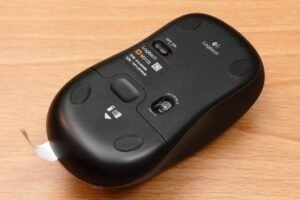
 A wireless mouse is one of the most affordable upgrades you can make for your laptop or desktop computer. Whether you’re a student, office professional, freelancer, or work-from-home user, a good wireless mouse improves comfort and productivity without costing a fortune.
Fortunately, Amazon India offers many reliable wireless mice priced under ₹1,000. While these budget models don’t include premium features like multi-device switching or advanced customization, many provide excellent everyday performance for browsing, office work, online classes, and general computing.
In this guide, we’ve selected reliable options from well-known brands and compared them based on comfort, battery life, build quality, connectivity, and overall value.
Best wireless mouse under Rs.1000
Affiliate Disclosure: This article contains affiliate links. If you purchase through these links, Arunova may earn a commission at no additional cost to you.
Quick Comparison Table
| Product | Best For | Connection | Battery | Indicative Price* |
|---|---|---|---|---|
| Logitech M221 Silent | Overall Value | 2.4 GHz USB | Long battery life | ₹699–₹949 |
| HP M310 Wireless | Office Work | 2.4 GHz USB | AA battery | ₹649–₹799 |
| Lenovo WL310 Silent | Silent Productivity | Bluetooth | Up to 12 months | ₹699–₹999 |
| Dell WM118 | Reliability | 2.4 GHz USB | AA battery | ₹599–₹699 |
| Portronics Toad One | Dual Connectivity | Bluetooth + 2.4 GHz | Rechargeable | ₹699–₹899 |
*Prices frequently change during Amazon sales. Always check the latest price before purchasing.
1. Logitech M221 Silent Wireless Mouse
Best Overall
The Logitech M221 remains one of the most recommended budget wireless mice thanks to its reliable tracking, quiet buttons, and excellent battery life.
Pros
-
- Silent clicking
-
- Comfortable design
-
- Reliable wireless connection
-
- Long battery life
-
- Trusted brand
Cons
-
- No Bluetooth
-
- Basic design
Best For
-
- Office work
-
- Students
-
- Home users
-
- Everyday productivity
2. HP M310 Wireless Mouse
Best for Office Work
HP’s M310 is a comfortable wireless mouse designed for everyday office use. It offers plug-and-play simplicity and a shape that suits long working sessions.
Pros
-
- Comfortable grip
-
- Easy setup
-
- Good tracking
-
- Reliable performance
Cons
-
- Uses a USB receiver
-
- Limited advanced features
Best For
-
- Office professionals
-
- Students
-
- Home-office users
3. Lenovo WL310 Silent Bluetooth Mouse
Best Bluetooth Option
If your laptop has limited USB ports, the Lenovo WL310 is an attractive choice because it connects through Bluetooth and features quiet buttons.
Pros
-
- Bluetooth connectivity
-
- Silent clicks
-
- Compact design
-
- Good battery life
Cons
-
- Bluetooth pairing required
-
- Not ideal for gaming
Best For
-
- Ultrabooks
-
- Students
-
- Frequent travelers
4. Dell WM118 Wireless Mouse
Best Budget Reliability
Dell’s WM118 has earned a reputation for dependable everyday performance. It focuses on reliability rather than extra features.
Pros
-
- Trusted brand
-
- Comfortable design
-
- Stable wireless connection
-
- Affordable
Cons
-
- Basic appearance
-
- No silent clicks
Best For
-
- Office work
-
- Home computers
-
- Students
5. Portronics Toad One
Best Rechargeable Mouse
Unlike many budget models that use disposable batteries, the Portronics Toad One offers a rechargeable battery and dual-mode connectivity.
Pros
-
- Rechargeable battery
-
- Bluetooth + USB receiver
-
- Lightweight
-
- Good value
Cons
-
- Battery requires charging
-
- Smaller size may not suit everyone
Best For
-
- Laptop users
-
- Remote workers
-
- Travelers
Buying Guide
Before purchasing a wireless mouse, consider these factors.
Comfort
If you work for several hours daily, choose a mouse that fits comfortably in your hand.
Connectivity
Choose:
-
- USB Receiver if you want quick setup.
-
- Bluetooth if you want to save USB ports.
Battery
Wireless mice generally use:
-
- Replaceable AA batteries
-
- Rechargeable batteries
Both work well. Choose whichever fits your preference.
DPI
Higher DPI simply means higher cursor sensitivity.
For normal office work, extremely high DPI isn’t necessary.
Silent Clicks
If you attend many online meetings or work in a shared environment, silent buttons can make a noticeable difference.
Brand Reputation
Reliable brands often provide better build quality and warranty support.
Well-established brands include:
-
- Logitech
-
- HP
-
- Dell
-
- Lenovo
Which Mouse Should You Buy?
Buy the Logitech M221 if…
-
- You want the best overall value.
-
- Quiet clicking is important.
-
- You want proven reliability.
Buy the HP M310 if…
-
- Comfort is your priority.
-
- You mainly use Microsoft Office and web browsers.
Buy the Lenovo WL310 if…
-
- You prefer Bluetooth.
-
- Your laptop has limited USB ports.
Buy the Dell WM118 if…
-
- You want a dependable budget mouse from a well-known brand.
Buy the Portronics Toad One if…
-
- You want a rechargeable mouse.
-
- You need both Bluetooth and USB connectivity.
Frequently Asked Questions
Which wireless mouse is best under ₹1,000?
For many users, the Logitech M221 offers one of the best combinations of reliability, comfort, battery life, and value.
Are wireless mice good for office work?
Yes. Modern wireless mice provide reliable connections and are suitable for office tasks, browsing, spreadsheets, presentations, and online meetings.
Is Bluetooth better than a USB receiver?
Bluetooth saves a USB port, while USB receivers generally provide faster setup and broad compatibility.
How long does the battery last?
Battery life depends on the model and usage. Many budget wireless mice can operate for several months, and some advertise battery life of up to a year or more.
Should I buy a rechargeable mouse?
Rechargeable mice are convenient if you don’t want to replace batteries. Traditional AA-powered mice often last longer between battery changes.
Final Verdict
If you’re looking for a dependable wireless mouse under ₹1,000, you don’t need to spend more to get a comfortable and reliable device.
For most users, the Logitech M221 Silent stands out because of its silent buttons, comfortable design, and trusted reliability. If you need Bluetooth connectivity, the Lenovo WL310 is a strong alternative. Those who prefer rechargeable convenience should consider the Portronics Toad One.
Whichever model you choose, focus on comfort, compatibility, and everyday usability rather than unnecessary features.