
Introduction
A good wireless keyboard can make your desk cleaner and your work more comfortable. It also gives you more freedom to position your keyboard exactly where you want it.
Fortunately, you don’t have to spend a lot of money.
Several wireless keyboards available in India offer comfortable typing, reliable connectivity, useful shortcut keys, and good battery life for less than ₹2,000.
However, the cheapest keyboard isn’t always the best choice. You should consider the connection type, keyboard size, battery life, compatibility, and typing comfort before buying.
In this guide, we’ll look at some of the best wireless keyboards under ₹2,000 and explain how to choose the right one for your needs.
Affiliate Disclosure: This article may contain affiliate links. If you purchase through these links, Arunova.net may earn a commission at no additional cost to you. Prices and availability can change at any time, so always check the latest price before purchasing.
Quick Comparison
| Keyboard | Connection | Layout | Best For |
|---|---|---|---|
| HP 350 Compact | Bluetooth 5.2 | Compact | Multi-device users |
| Logitech MK220 | 2.4GHz USB | Compact | Everyday office use |
| Logitech MK240 Nano | 2.4GHz USB | Compact | Keyboard + mouse value |
| Portronics Bubble Pro | Wireless | Compact | Portable setups |
| Zebronics Companion Series | 2.4GHz USB | Full/Compact varies | Budget buyers |
Note: Some products are sold as keyboard-and-mouse combos. Prices frequently change during Amazon sales and promotions.
1. HP 350 Compact Multi-Device Bluetooth Keyboard
HP 350 Compact Multi-Device Bluetooth Wireless Keyboard
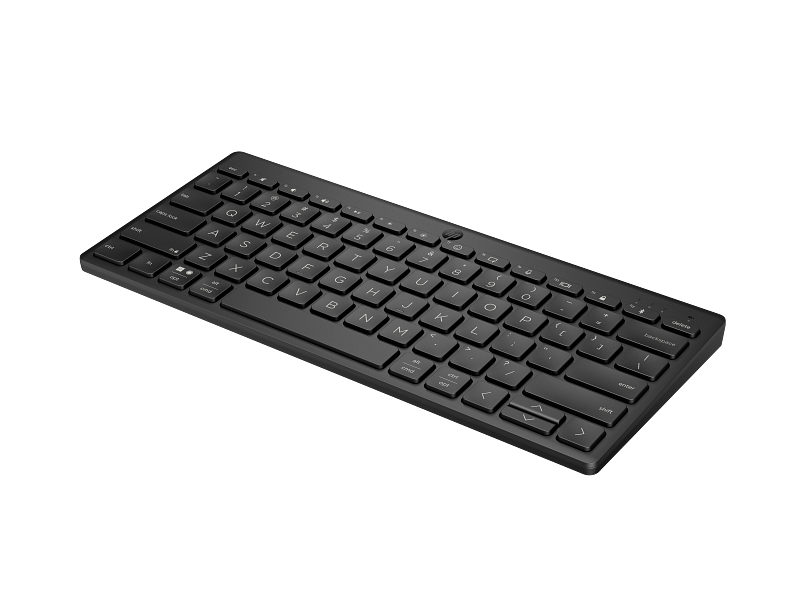
- Multi-device connectivity: Bluetooth 5.2 lets you pair with up to three compatible devices and switch between them easily.
- Wide compatibility: Works with compatible Windows, Mac, Chrome, tablet, and smartphone devices.
- Useful shortcuts: Includes convenient shortcut keys for audio, screenshots, emojis, dictation, and other everyday functions.
- Long battery life: HP claims up to 24 months of battery life, depending on usage.
- Portable design: Compact enough for small desks and travel while maintaining comfortable key spacing.
- Best for: Office work, students, work-from-home users, and anyone who regularly switches between multiple devices.
Best Overall for Multi-Device Use
The HP 350 Compact is an interesting option for people who use more than one device.
Unlike many inexpensive wireless keyboards that depend on a USB receiver, this model uses Bluetooth 5.2.
It can pair with up to three devices. Therefore, you can use the same keyboard with a laptop, tablet, or smartphone and switch between compatible devices.
HP also specifies support for Windows, macOS, iPadOS, ChromeOS, Android, and iOS.
Key Features
- Bluetooth 5.2
- Connects with up to three devices
- Compact design
- Standard-size keycaps
- 12 hotkeys
- Spill-resistant design
- Up to 24 months claimed battery life
- Uses two AAA batteries
Pros
- Excellent multi-device support
- No USB receiver required
- Compact and portable
- Long claimed battery life
- Broad operating-system compatibility
Cons
- No dedicated numeric keypad
- Bluetooth is required
- Compact layout may not suit heavy spreadsheet users
Who Should Buy It?
Choose this keyboard if you frequently switch between a laptop, tablet, and smartphone.
At the time checked, HP India listed the black model at ₹1,899, placing it just inside this article’s ₹2,000 budget. Prices can change, so verify the latest price before ordering.
Arunova Verdict: ⭐ Best for multi-device users
2. Logitech MK220 Wireless Keyboard and Mouse Combo
Logitech MK220 Compact Wireless Keyboard and Mouse Combo
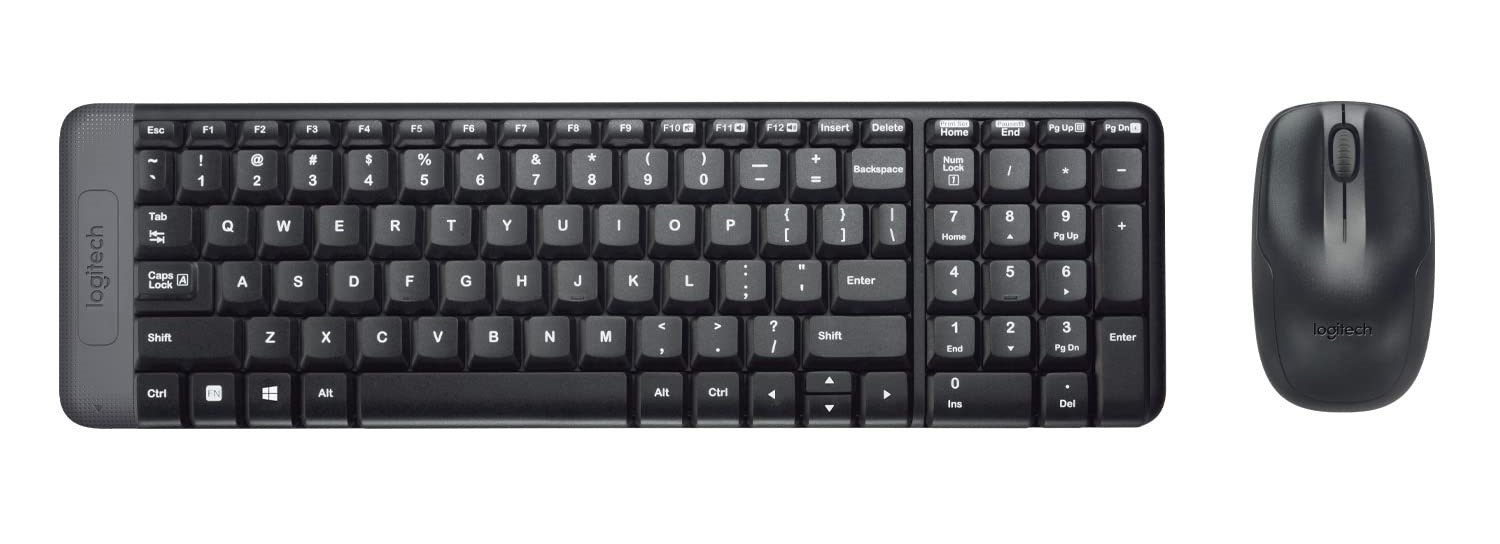
- Compact design: About 36% smaller than a standard keyboard while retaining standard keys.
- Wireless connection: Reliable 2.4 GHz wireless connectivity with a claimed range of up to 10 metres.
- Long battery life: Logitech claims up to 24 months for the keyboard and 12 months for the mouse, depending on usage.
- Comfortable mouse: Compact, ambidextrous design with smooth tracking and scrolling.
- Spill-resistant keyboard: Designed to handle minor accidental spills.
- Easy setup: Simply connect the USB receiver for plug-and-play use.
- More sustainable materials: Selected plastic parts contain certified post-consumer recycled plastic.
- Best for: Home-office users, students, everyday office work, and anyone who wants an affordable wireless keyboard-and-mouse combination.
Best for Everyday Home and Office Work
If you need both a wireless keyboard and mouse, the Logitech MK220 is worth considering.
Its compact keyboard design helps save desk space. At the same time, you get a separate wireless mouse.
This makes it particularly useful for beginners setting up a home office.
Key Features
- Wireless keyboard and mouse
- 2.4GHz wireless connection
- Compact keyboard design
- Numeric keypad
- USB receiver
- Designed for everyday productivity
Pros
- Keyboard and mouse included
- Compact footprint
- Numeric keypad
- Established accessory brand
- Good option for basic office work
Cons
- Uses a USB receiver
- Not designed primarily for switching between several devices
- Takes up one USB port
Who Should Buy It?
The MK220 makes sense for students, office users, and beginners who want to replace both their keyboard and mouse.
Arunova Verdict: ⭐ Best keyboard-and-mouse value
3. Logitech MK240 Nano Wireless Keyboard and Mouse
Logitech MK240 Nano Wireless USB Keyboard and Mouse Set, 12 Function Keys 2.4GHz Wireless, 1000DPI
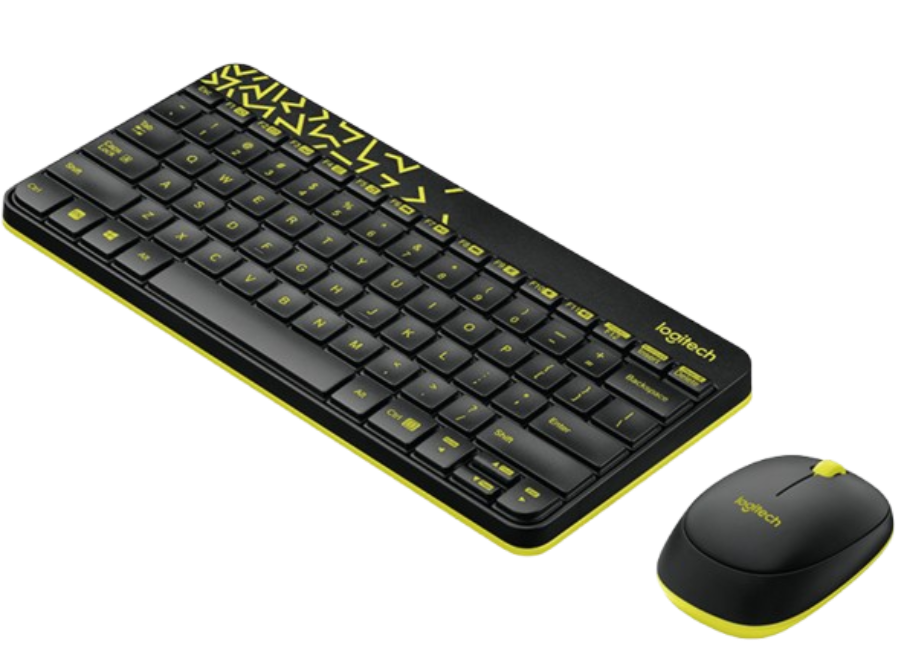
- Spill-resistant design keeps your investment safe. Tested under limited conditions (maximum of 60 ml liquid spillage).
- Plug-and-play wireless. Connect your keyboard and mouse to a single tiny receiver for plug-and-play connectivity up to 10 metres away. Wireless range may vary due to environmental and computing conditions.
- Logitech Advanced 2.4 GHz Wireless ensures fast data transmission, no delays or dropouts, and wireless encryption (between keyboard and receiver). Sensor Technology: Smooth Optical Tracking
- 36-month keyboard and 12-month mouse battery life, plus auto-sleep and on/off switch. Battery life may vary based on your use.
- Make a bold statement on your desk with this space-saving colourful keyboard and comfortable, contoured mouse
Best Compact Combo
The Logitech MK240 Nano is another useful option for people who want a small wireless keyboard and mouse combination.
A compact keyboard leaves more room for your mouse, notebook, smartphone, and other desk accessories.
It is particularly attractive for small work-from-home desks.
Key Features
- 2.4GHz wireless connectivity
- Keyboard and mouse included
- Compact design
- Function keys
- Spill-resistant keyboard design
- USB receiver
Pros
- Space-saving
- Mouse included
- Simple wireless setup
- Suitable for small desks
- Good for everyday work
Cons
- USB receiver required
- Compact design won’t appeal to everyone
- Less suitable for users who want a large traditional keyboard
Who Should Buy It?
Consider the MK240 if desk space is limited and you want an affordable keyboard-and-mouse package.
Arunova Verdict: ⭐ Best for small desks
4. Portronics Bubble Pro Wireless Keyboard
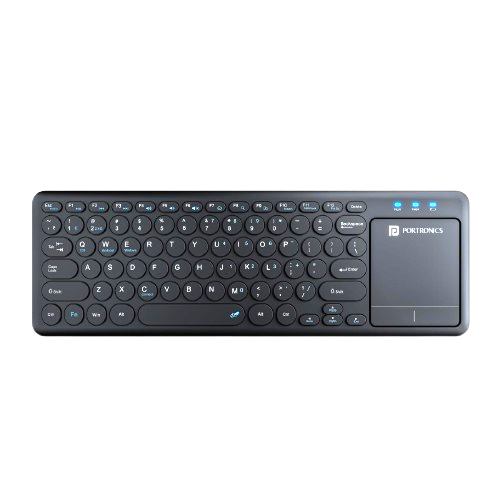
- Dual Wireless Connectivity: Enjoy the best of both worlds with the Portronics Bubble Pro wireless keyboard, which comes with both Bluetooth 5.0 and 2.4 GHz Wireless USB Receiver.
- Built-in Touchpad: The wireless keyboard features a touchpad with left and right-click buttons. Additionally, you can also use this touchpad for scrolling and zooming.
- Multi-Device Connection: Allows you to connect up to 2 devices at the same time, with Bluetooth and 2.4 GHz Nano Dongle and easily switch between them.
- Shortcut Keys: Equipped with Multimedia hotkeys for quick access to functions like mute, pause, volume control, etc., and a dedicated key for the Indian Rupee symbol (₹).
- Auto Power-Saving: The devices have an auto power-saving mode, meaning it goes into sleep mode after a period of inactivity to avoid power drainage.
- 10 Metres (33 Feet) Wireless Range: Designed for trouble-free operation, this wireless keyboard provides a seamless connection up to 10 metres.
- Ergonomic Typing: This battery-powered wireless keyboard is sleek and is protected against accidental spills. Comes with anti-fade keycaps, and noiseless key switches for a comfortable typing experience.
Best for a Stylish Portable Setup
Portronics offers several affordable accessories aimed at home-office and mobile users.
The Bubble Pro range is worth considering if you want something more stylish than a traditional black office keyboard.
Depending on the exact model and listing, features can vary. Therefore, check the product specifications carefully before ordering.
What to Check
- Connection method
- Device compatibility
- Keyboard layout
- Battery requirements
- Dimensions
- Included receiver or accessories
Pros
- Modern appearance
- Compact design
- Suitable for portable setups
- Often competitively priced
Cons
- Features can differ between variants
- Compact layouts may not suit accounting work
- Always verify the exact model before buying
Who Should Buy It?
This type of keyboard is better suited to students, casual users, and people who prefer a modern-looking desk setup.
Arunova Verdict: ⭐ Best for style and portability
5. Zebronics Companion Wireless Keyboard & Mouse Combos
ZEBRONICS Companion 107 2.4GHz Wireless Keyboard & Mouse Combo
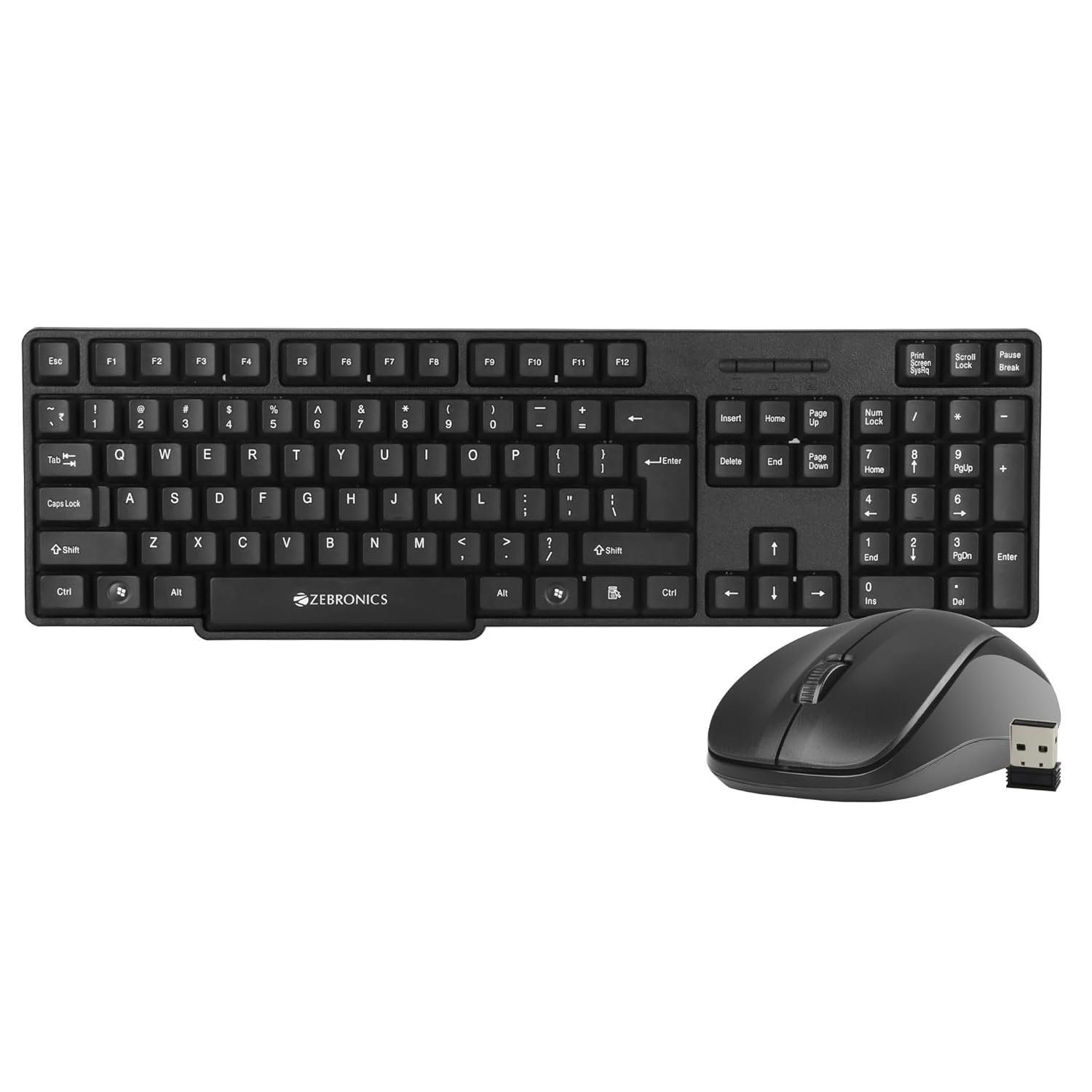
- Wireless connection: The Zeb-Companion 107 wireless keyboard and mouse combo offers a dependable 2.4GHz wireless connection.
- Keys: The keyboard is equipped with 104 keys including a Rupee key (₹), catering to users in regions using the Indian Rupee currency.
- Multimedia keys: The Zeb-Companion 107 includes 12 integrated multimedia keys for media control and enhancing overall usability.
- UV-print keys: The keycaps are UV-printed, ensuring durability and resistance against wear and tear.
- High-precision: The Zeb-Companion 107 mouse is as advanced as the keyboard with its advanced optical sensor for precise working.
- 3 buttons: The mouse comes with 3 buttons – right, left, and middle scroll button
- 1200 DPI: The mouse comes with an advanced optical sensor of 1200 DPI for efficient working.
Best Budget Choice
Zebronics offers several affordable wireless keyboard-and-mouse combinations in India.
Models in the Companion series can be attractive when your priority is keeping costs low.
They generally target everyday tasks such as:
- Browsing
- Document editing
- Online classes
- Basic office work
Pros
- Affordable
- Keyboard and mouse combinations available
- Suitable for basic computing
- Easy option for first-time buyers
Cons
- Features differ significantly between models
- Build and typing feel may vary
- Check warranty and exact specifications carefully
Who Should Buy It?
Consider these models when budget is your main priority and you only need a keyboard for basic everyday work.
Arunova Verdict: ⭐ Best for tight budgets
Bluetooth vs USB Receiver: Which Is Better?
This is one of the most important decisions when buying a wireless keyboard.
Bluetooth Keyboard
A Bluetooth keyboard connects directly to a compatible computer, tablet, or smartphone.
Advantages
- Doesn’t occupy a USB port
- Excellent for tablets
- Useful with smartphones
- Some models support several devices
Disadvantages
- Your device needs Bluetooth
- Initial pairing is required
- Very old desktops may not have Bluetooth
Bluetooth is particularly useful for modern laptops with limited ports.
2.4GHz USB Wireless Keyboard
These keyboards normally include a small USB receiver.
Insert the receiver into your computer and the keyboard is usually ready to use.
Advantages
- Simple setup
- Reliable connection
- Excellent for desktop computers
- No Bluetooth configuration required
Disadvantages
- Uses a USB port
- Receiver can be lost
- Some models work with only their supplied receiver
For a permanent office desk, a 2.4GHz keyboard remains an excellent choice.
Full-Size vs Compact Wireless Keyboard
Keyboard size is another important consideration.
Choose a Full-Size Keyboard If You:
- Work with Excel frequently
- Enter numbers regularly
- Do accounting work
- Prefer traditional keyboard spacing
- Have enough desk space
The dedicated numeric keypad can greatly improve productivity for number-heavy tasks.
Choose a Compact Keyboard If You:
- Have a small desk
- Travel frequently
- Use a tablet
- Rarely use the numeric keypad
- Want more space for your mouse
Compact keyboards can make a small workspace feel much less crowded.
What to Check Before Buying a Wireless Keyboard
1. Typing Comfort
Typing comfort should come before appearance.
Look for well-spaced keys and a layout that matches your normal working style.
If possible, read user feedback specifically about typing feel.
2. Connectivity
Decide whether you need:
- Bluetooth
- 2.4GHz USB wireless
- Multi-device Bluetooth
- Multiple connection modes
Laptop and tablet users may benefit more from Bluetooth.
3. Battery Life
Wireless keyboards need power.
Some use replaceable AA or AAA batteries. Others include rechargeable batteries.
Long battery life means less maintenance.
However, remember that manufacturers’ battery-life figures are estimates. Actual battery life depends on usage.
4. Numeric Keypad
Don’t overlook the number pad.
It is particularly useful for:
- Accounting
- Excel
- Data entry
- Financial work
- Frequent calculations
Writers and casual users may prefer a smaller keyboard without it.
5. Shortcut Keys
Media and productivity shortcuts can save time.
Useful shortcuts include:
- Volume up/down
- Mute
- Play/pause
- Search
- Calculator
- Home
- Device switching
6. Operating-System Compatibility
Always check compatibility before purchasing.
This becomes especially important if you use:
- macOS
- Android
- iPadOS
- ChromeOS
- Smart TVs
A keyboard may physically connect to a device while some shortcut keys behave differently.
7. Warranty
A good warranty adds confidence to a budget purchase.
Check the manufacturer’s warranty rather than relying only on the seller’s description.
Which Wireless Keyboard Should You Choose?
For multi-device use, the HP 350 Compact Multi-Device Bluetooth Keyboard is particularly attractive because it can pair with up to three Bluetooth devices.
For a keyboard-and-mouse combination, consider models such as the Logitech MK220 or MK240 Nano, depending on current pricing.
If your budget is very limited, affordable Zebronics Companion combinations may be worth comparing.
Finally, if appearance and portability matter more, a compact Portronics model may suit your setup.
The best choice isn’t necessarily the most expensive one. Instead, choose the keyboard that matches your daily work.
Frequently Asked Questions
What is the best wireless keyboard under ₹2,000?
There is no single best keyboard for everyone. The HP 350 Compact is attractive for Bluetooth and multi-device use. Meanwhile, Logitech wireless combos can provide better value if you also need a mouse.
Is a ₹1,000 wireless keyboard good enough?
Yes, it can be sufficient for browsing, studying, emails, and basic office work. However, typing comfort, build quality, battery life, and connectivity vary between models.
Is Bluetooth better than 2.4GHz for a keyboard?
Neither is universally better. Bluetooth saves a USB port and works well across different device types. A 2.4GHz receiver offers simple plug-and-play connectivity for desktops and laptops.
Are wireless keyboards good for office work?
Yes. A reliable wireless keyboard can reduce cable clutter while providing a comfortable typing experience.
Should I buy a wireless keyboard and mouse combo?
A combo can offer excellent value when you need both accessories. It also keeps your setup simple.
Do wireless keyboards have input delay?
Modern wireless keyboards are generally responsive enough for typing and normal office work. Competitive gamers may have different requirements.
Can I connect a wireless keyboard to my phone?
A Bluetooth keyboard can work with many Android and iOS devices. Check compatibility before purchasing.
Final Verdict
You don’t need an expensive keyboard to create a comfortable wireless workspace.
Under ₹2,000, there are useful options for office workers, students, freelancers, and home users. However, your priorities should guide your purchase.
Choose Bluetooth and multi-device support if you switch between several devices.
If you want simple plug-and-play operation select a 2.4GHz keyboard
You’re building your workspace from scratch Choose a keyboard-and-mouse combo.
Finally, choose a full-size keyboard if you regularly work with numbers and spreadsheets.
Prices change frequently, particularly during online sales. Therefore, compare the latest price, warranty, seller information, and specifications before purchasing.